 PixelyChat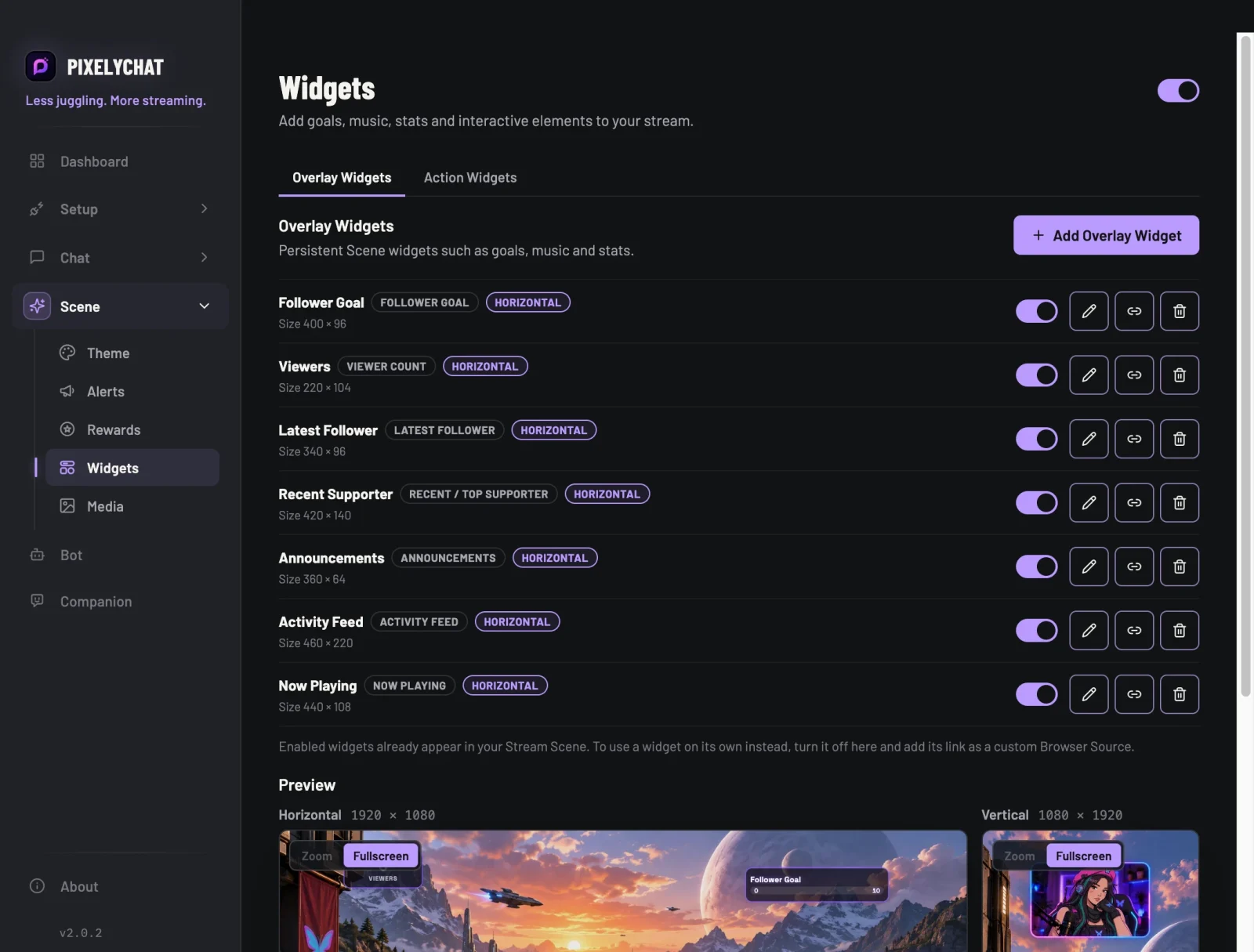
What viewers should always see
Widgets are the parts of your overlay that stay on screen: progress toward a goal, how many people are watching, who followed last, who supported you most, or which song is playing. They update live from Twitch, YouTube, Kick and TikTok.
Follower GoalSubscriber GoalDaily SubsGifts GoalTikTok Likes GoalViewer CountLatest FollowerRecent / Top SupporterTikTok Top LikesActivity FeedAnnouncementsNow Playing
One editor, one look
Every widget is set up in the same editor, and they all follow your Scene Theme, so goals, alerts and rewards match. Drag and resize them in the preview, with separate layouts for horizontal and vertical streams.
No extra Browser Sources
All widgets show up in the same Stream Scene Browser Source as your alerts. Add it to OBS or Streamlabs once, and new widgets appear there as soon as you create them.
Try it
- Open Scene → Widgets and click Add Overlay Widget.
- Pick a widget, set it up and place it in the preview.
- Add the Stream Scene Browser Source from Setup → Overlays, if you haven't yet.