 PixelyChat
BUILT FOR YOUR NEXT STREAM
Less juggling.
More streaming.
Chat, TTS, translation, alerts, widgets, rewards, a bot and a talking Companion, all in one app. Free forever. Made by a streamer who'd rather be playing than managing apps.
Windows, macOS & Linux · No subscription. No ads.
WHAT'S NEW
See all news →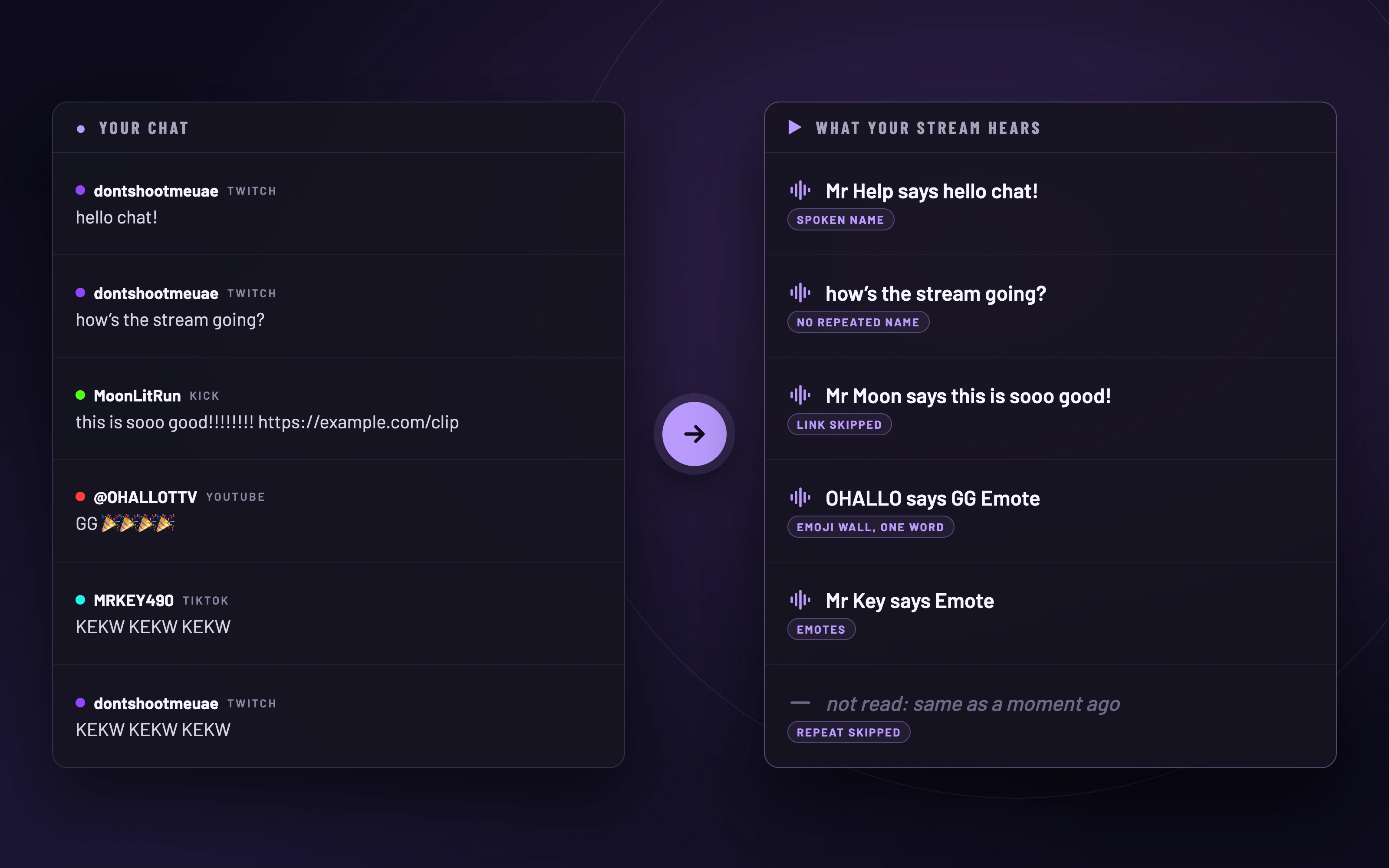
Your chat, read aloud. Without the noise.
Spoken Names lets TTS call viewers by the names you choose, names aren’t repeated on every line, and symbols, emotes, links and spam are left out.
Read more →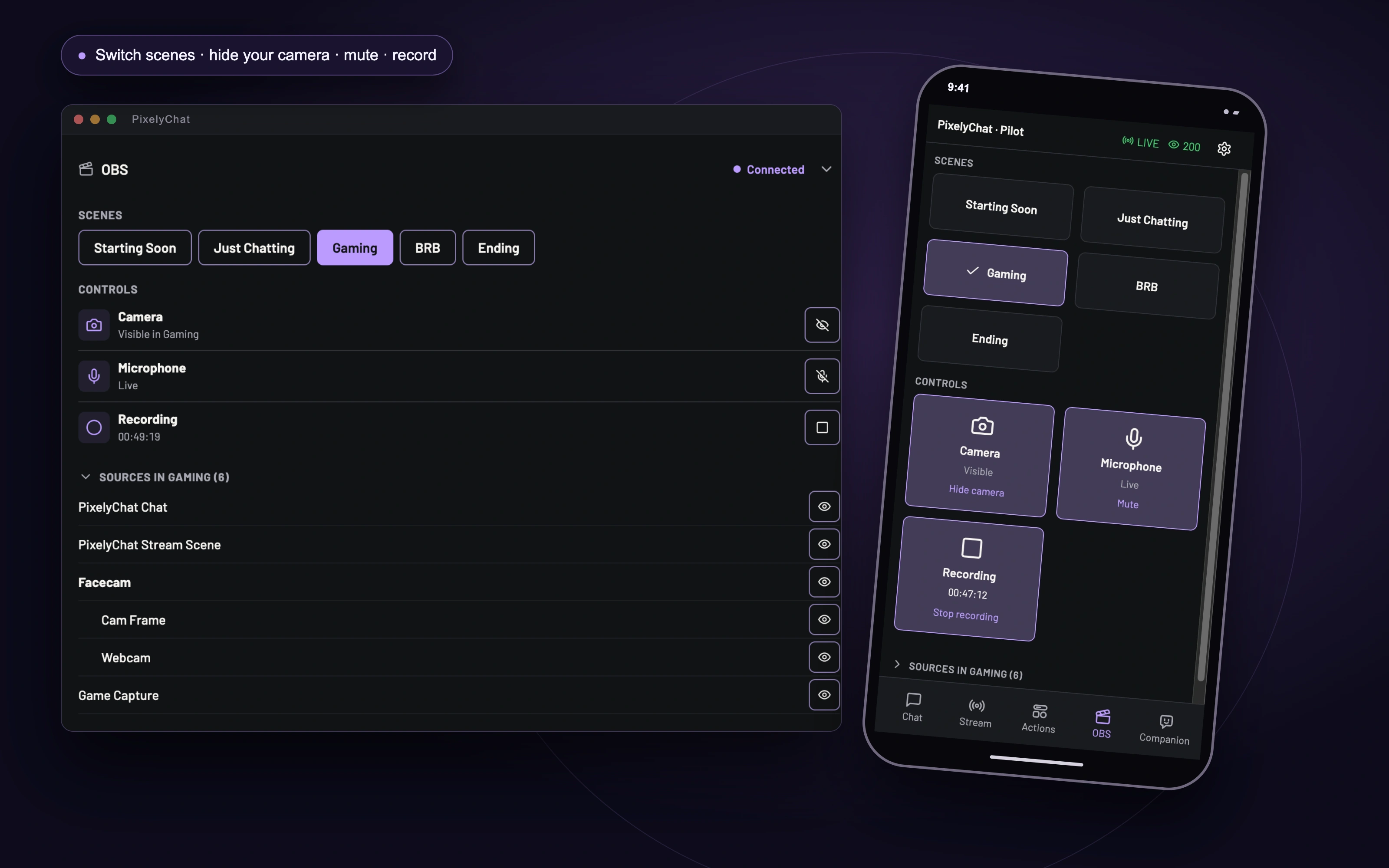
Your overlays in OBS. Your OBS in your hand.
Add PixelyChat overlays to OBS in one click, then switch scenes, hide your camera, mute your mic and record from the Dashboard or your phone.
Read more →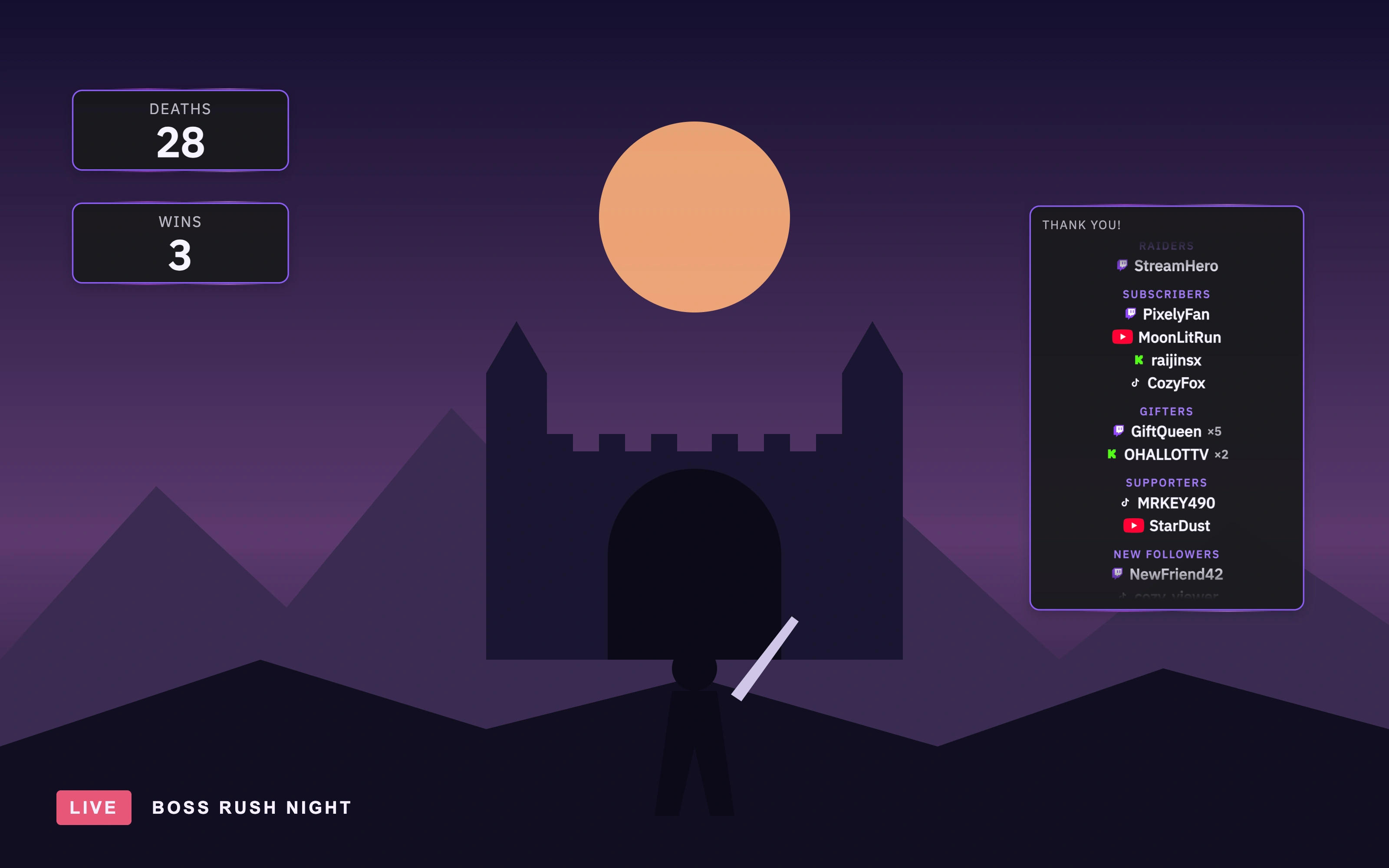
Count every moment. Thank every supporter.
Counter keeps score of deaths, wins or anything chat cares about. Live Credits thanks your supporters on screen while you’re still live.
Read more →01 / CHAT
Every conversation.
One place.
Keep up with Twitch, YouTube, Kick and TikTok in one feed. Read, listen, translate and moderate without switching windows.
One chat
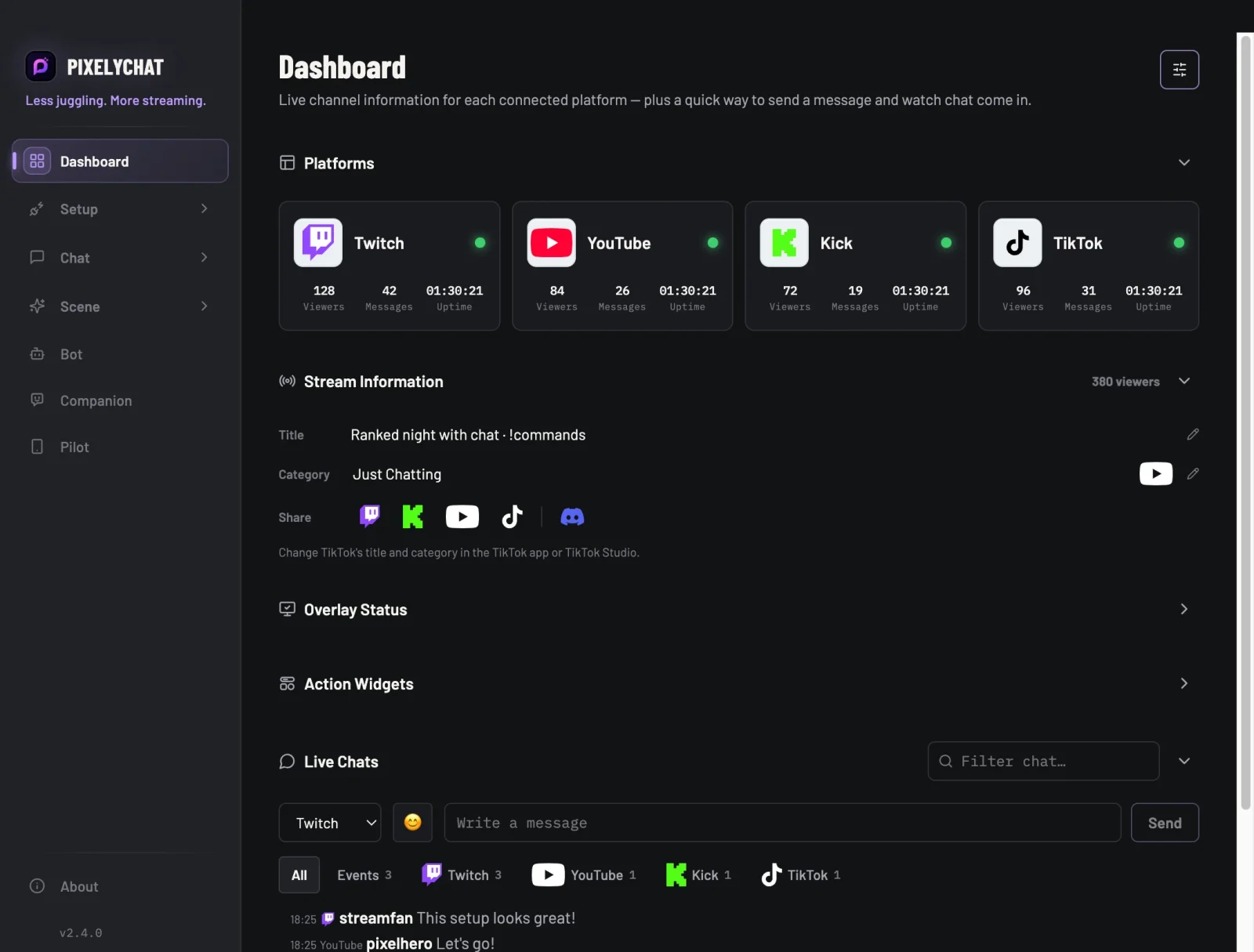
Twitch, YouTube, Kick and TikTok in a single feed, with live viewer counts and message stats for each. Log in once per platform and you’re set.
02 / ON STREAM
Make it look
like your stream.
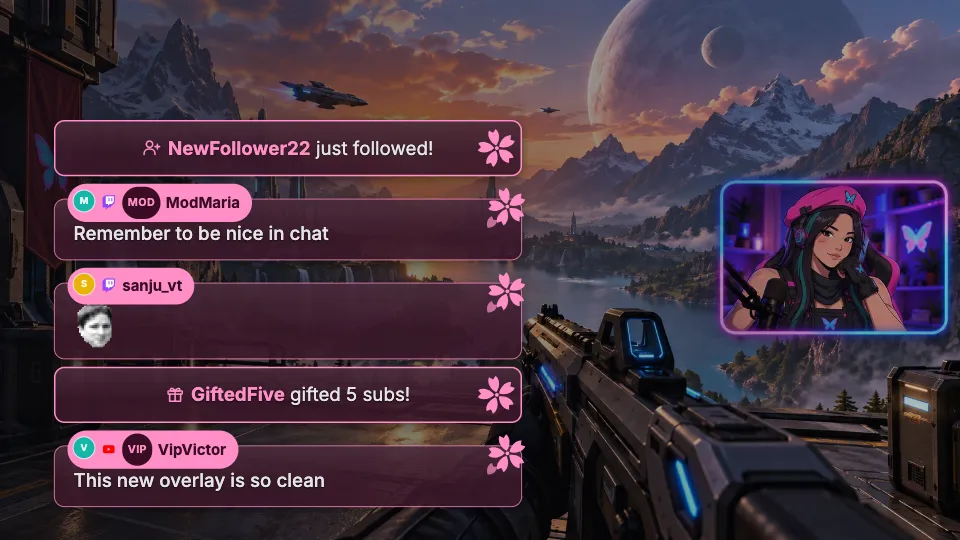
Bring your chat, alerts and widgets into OBS or Streamlabs. Set the look once. Changes show up live.
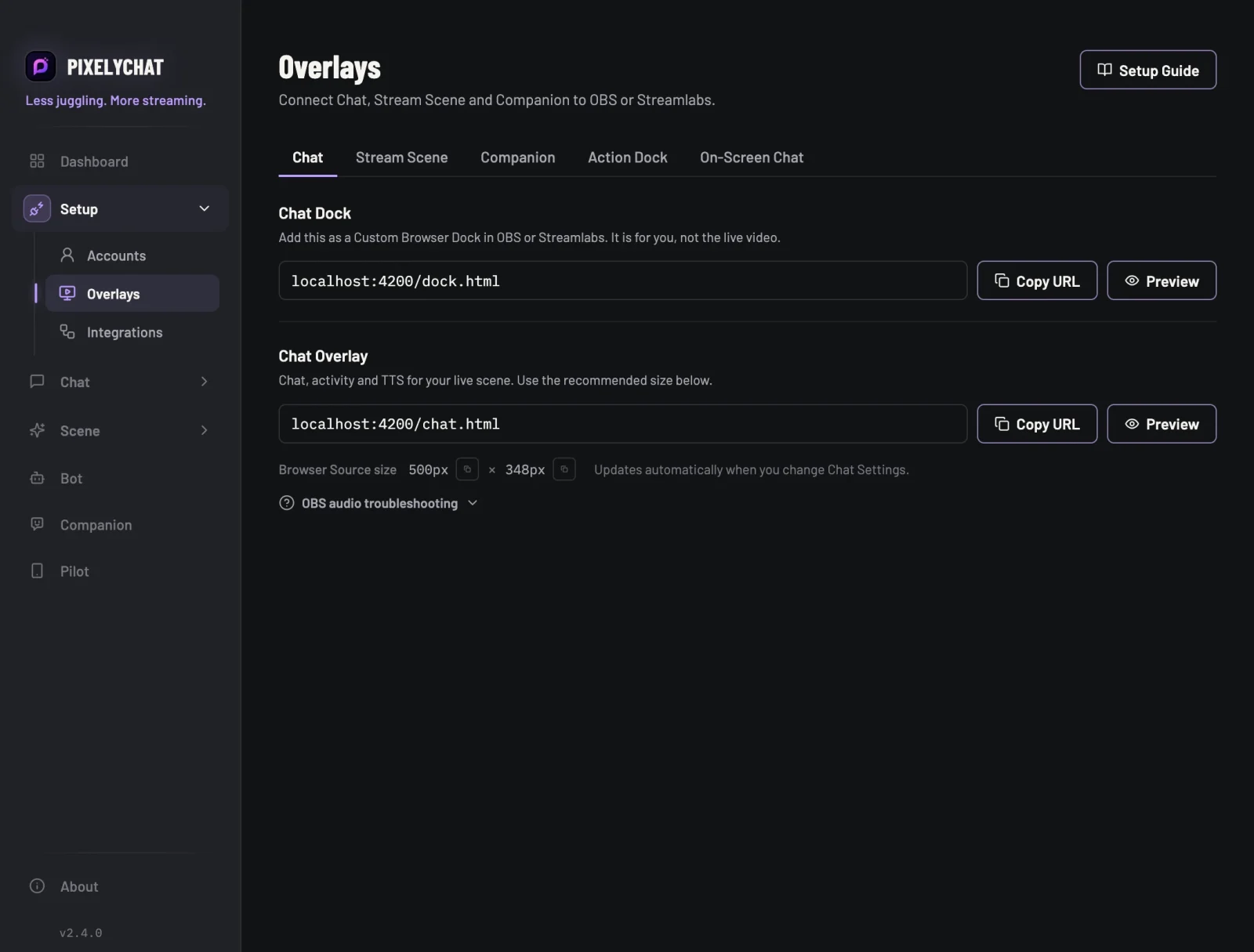
OBS & Streamlabs overlays
One URL per overlay. Paste it into a Browser Source and every style change updates live, with no refreshing and no re-adding the source.
03 / AUDIENCE
Give chat a part
in the show.
Turn viewers into participants with rewards, live polls, wheel spins and a queue for your next community game.
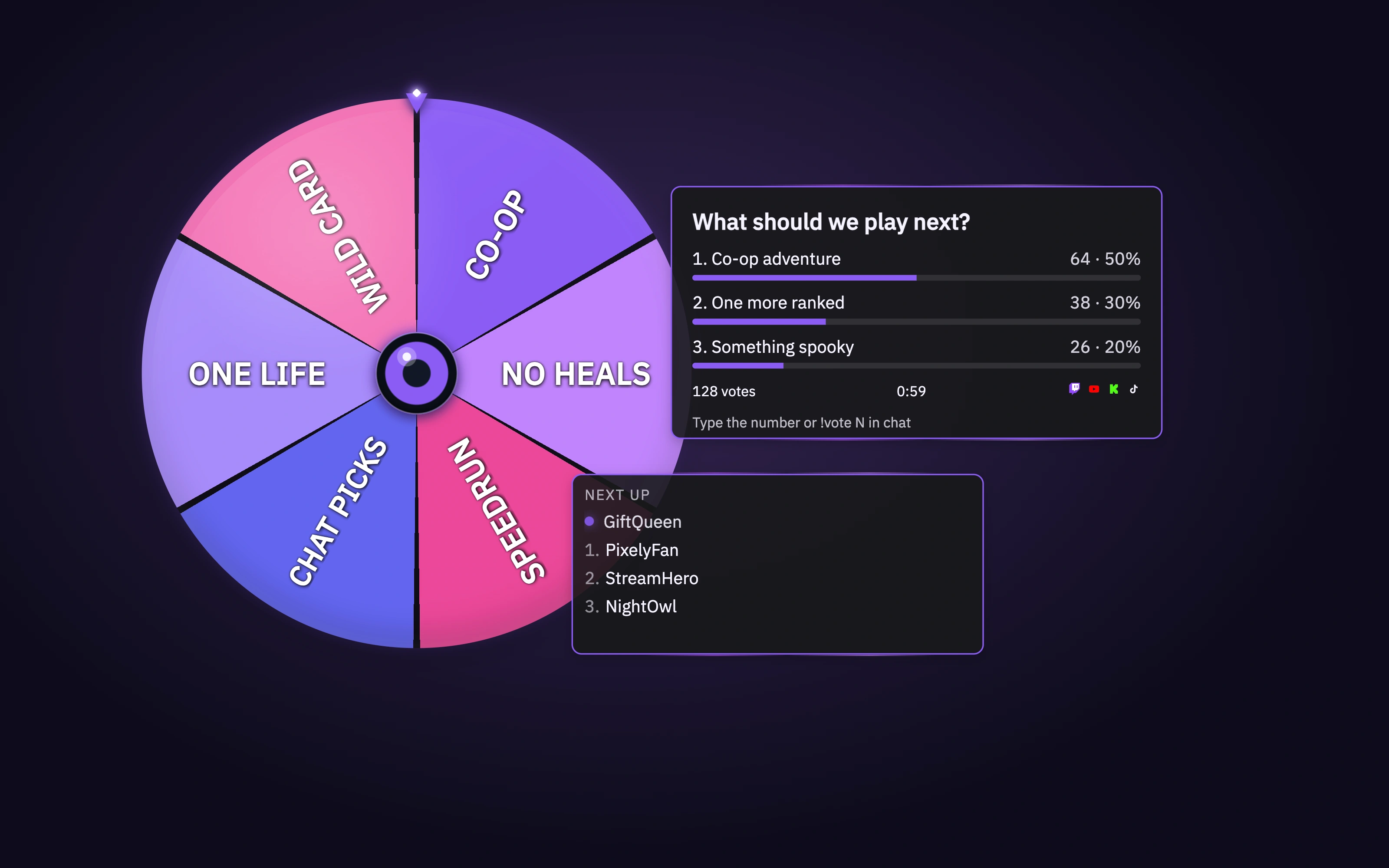
Action Widgets
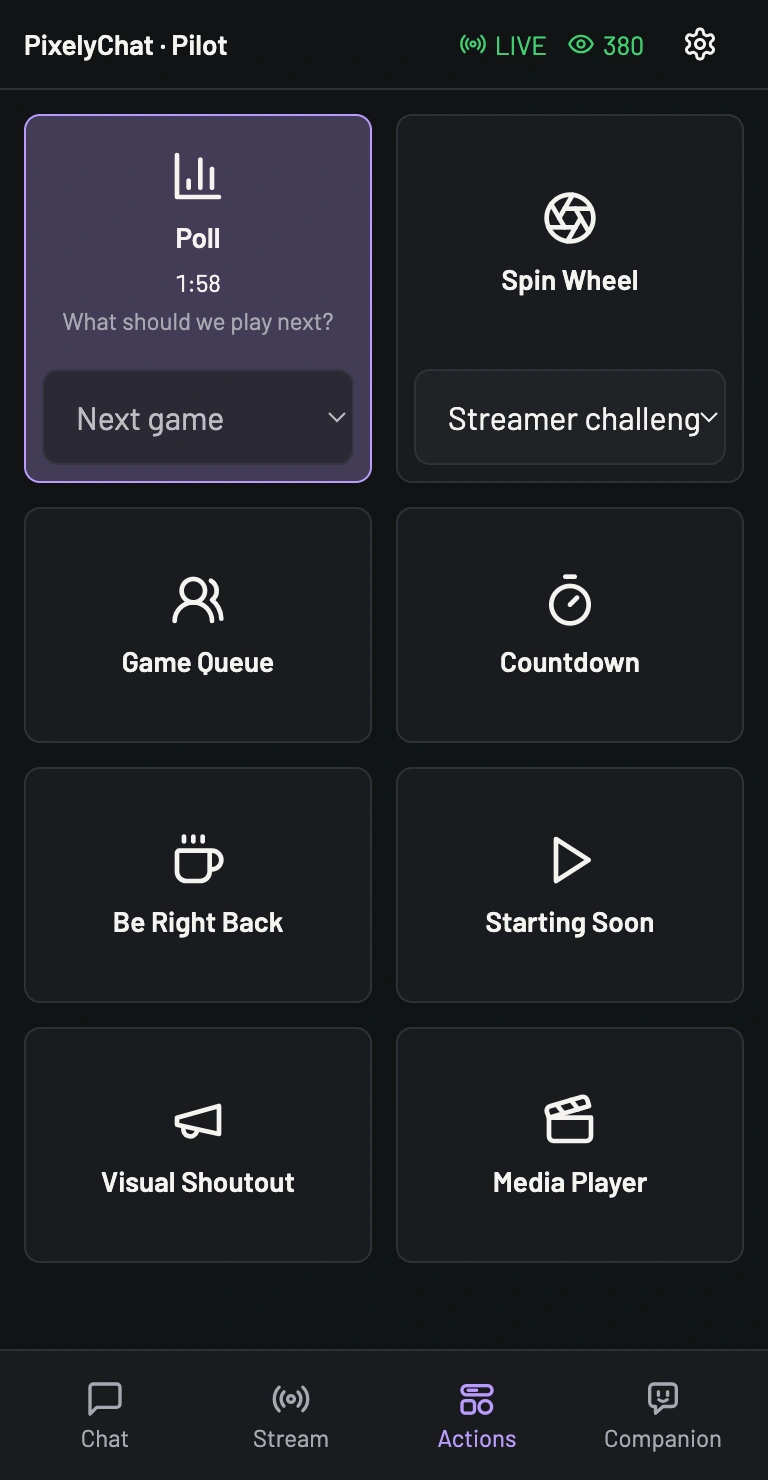
Let chat vote in a Poll, spin the wheel for a challenge, or invite viewers to join your Game Queue. Run them from the Dashboard or your phone with Pilot, and bring every moment onto your stream.
04 / SIDEKICKS
A little help
behind the scenes.
Let your bot handle commands and greetings. Add AI replies or a voiced Companion when you want another personality on stream.
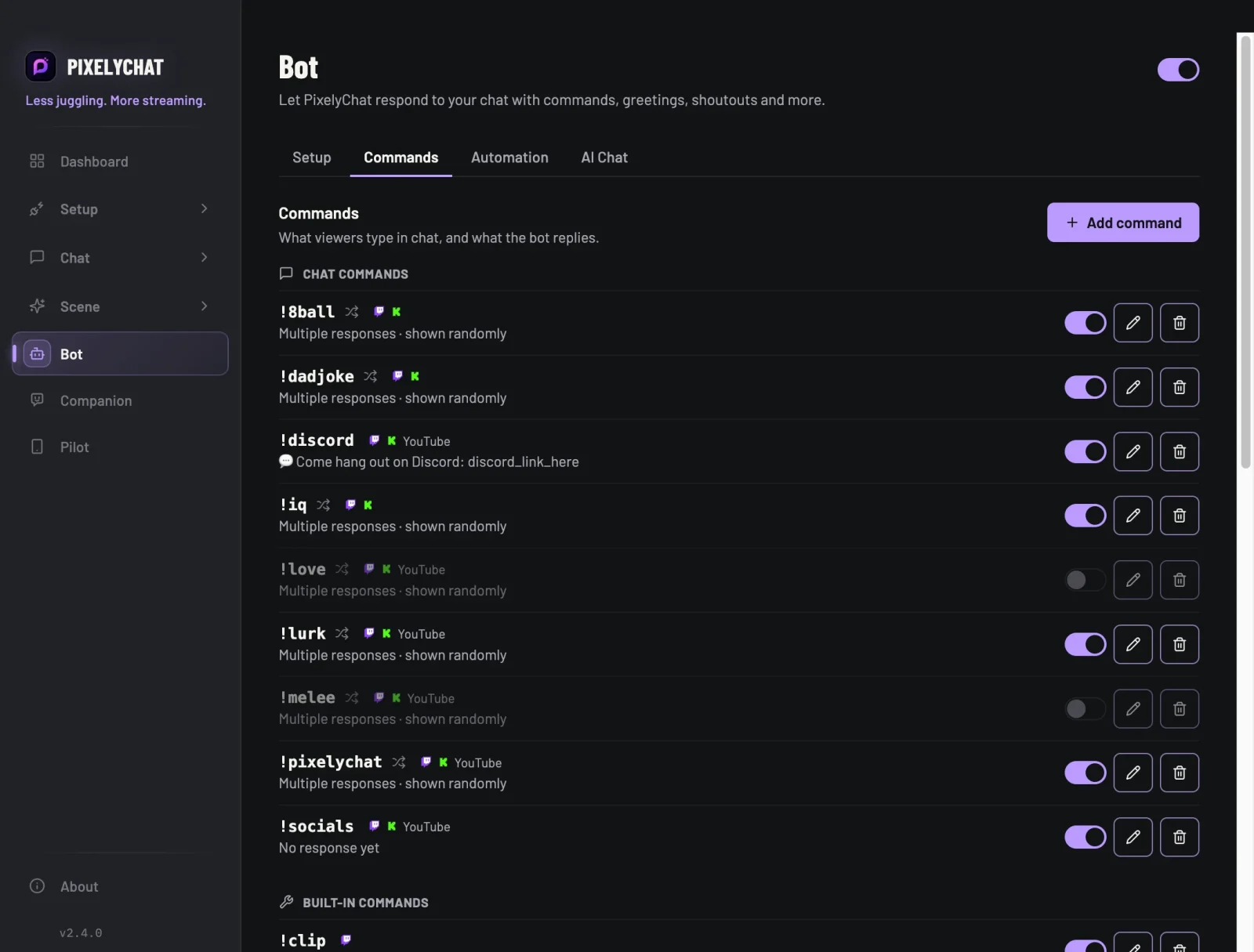
Chat bot
Built-in commands like !so, !8ball and !title, plus your own custom ones. Lock any command to mods or subs, set cooldowns, and let greetings, shoutouts and raid replies run themselves.
05 / PILOT
Your phone.
Your stream controls.
A stream control deck.
On the device you already own.
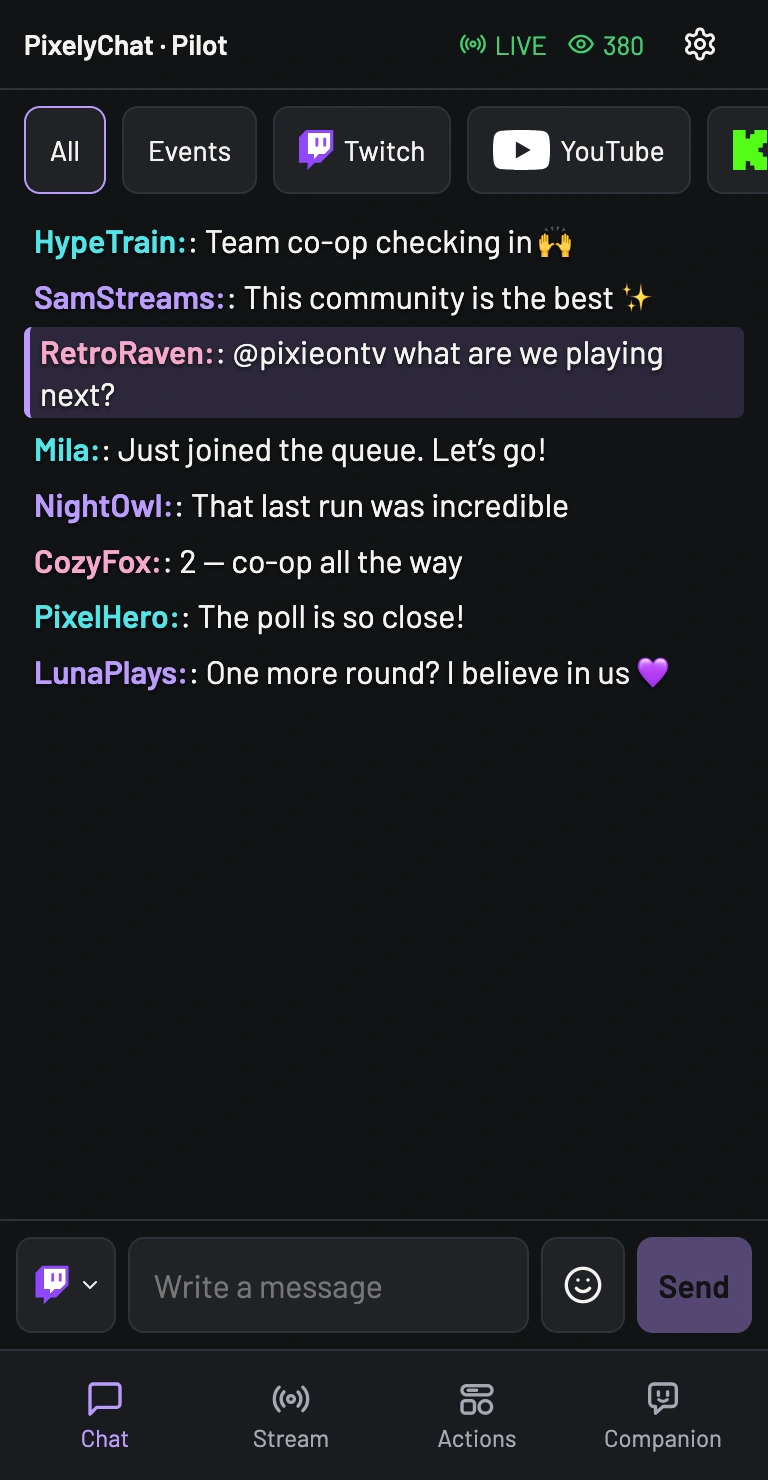
Turn your phone or tablet into a home for your chat, mod tools and Action Widgets. Change your stream title, launch a poll or go BRB, all from your mobile browser.
- Read chat & moderate
- Trigger widgets & see live status
- Update your title & category
Same Wi-Fi. PixelyChat on your computer.
No special hardware or extra mobile app.
MAKE IT YOURS
Your stream.
Your style.
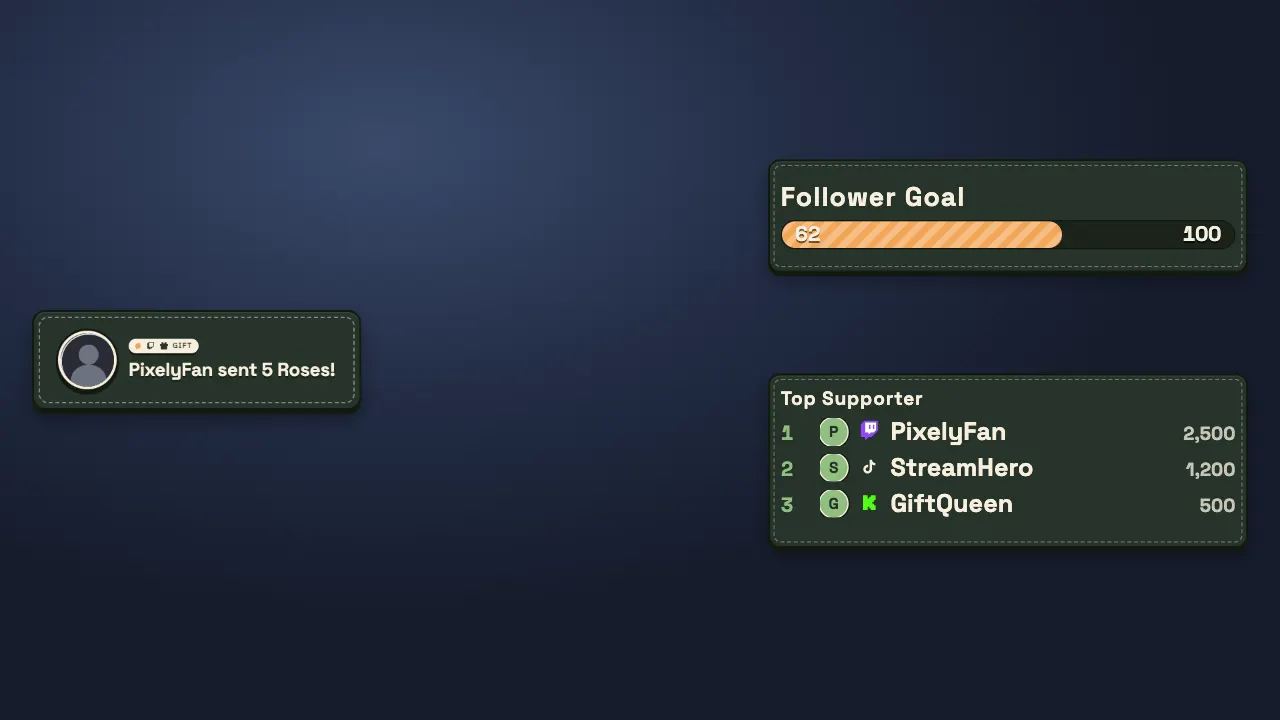
Customize your scenes, chat and Companion with ready-made designs—or create your own.




Made by a streamer, mostly out of stubbornness
PixelyChat is built by PixieOnTV, a small variety gaming streamer who got fed up with existing multi-platform tools being either missing what she needed or requiring a computer science degree to configure. Spoiler: she doesn't have one of those. She built it for her own stream first, with zero plans to show anyone — then figured other streamers fighting the same chat chaos might want it too. Today she builds it together with her community: streamers and viewers who test new versions, report bugs, suggest features, create themes and help with development.
Read the full story →Download PixelyChat
Free forever. No subscription. No ads.

Windows
Choose the easiest way to install PixelyChat.
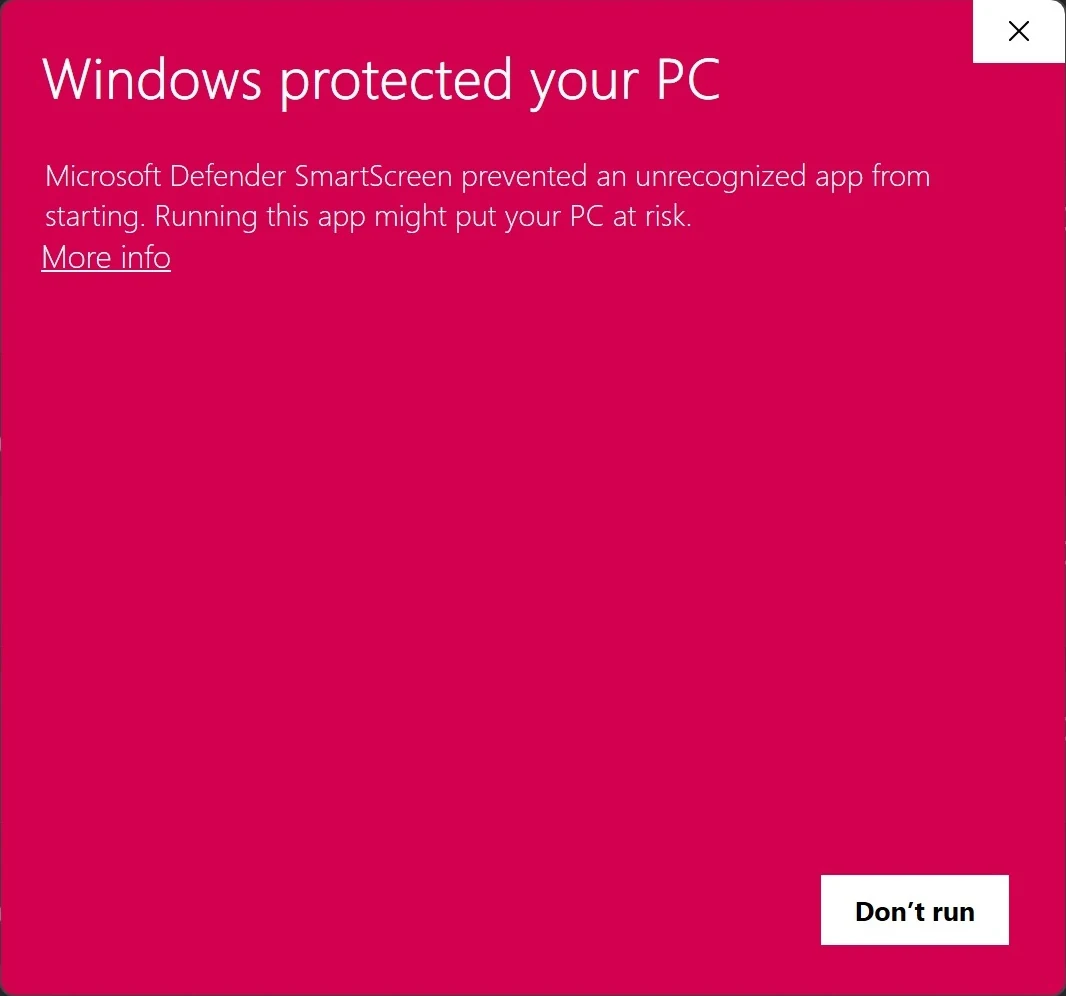
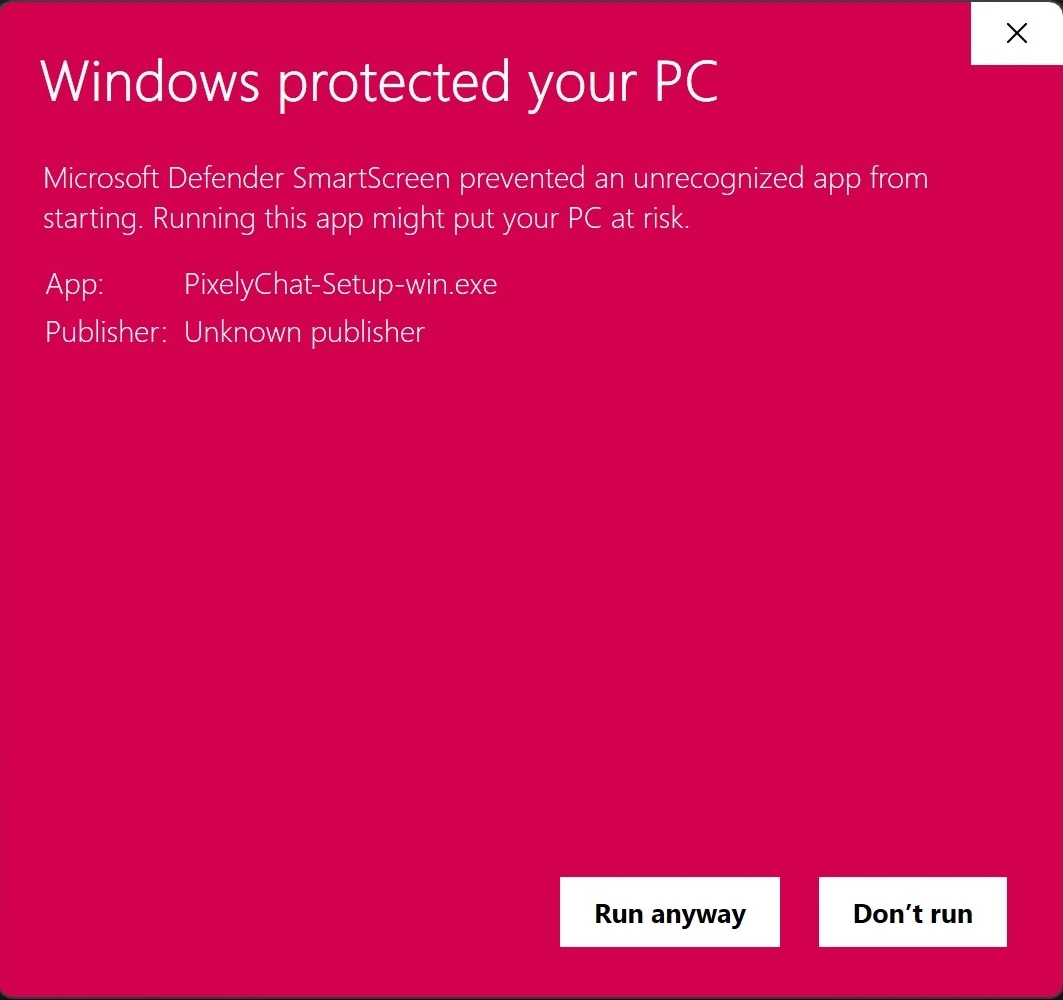
Windows may show this warning for newer applications downloaded directly from the internet. PixelyChat is digitally signed, but SmartScreen may still display a warning while publisher reputation is being established.
Click More info on the SmartScreen dialog.
Click Run anyway to continue.

macOS
One universal download for Intel and Apple Silicon Macs.
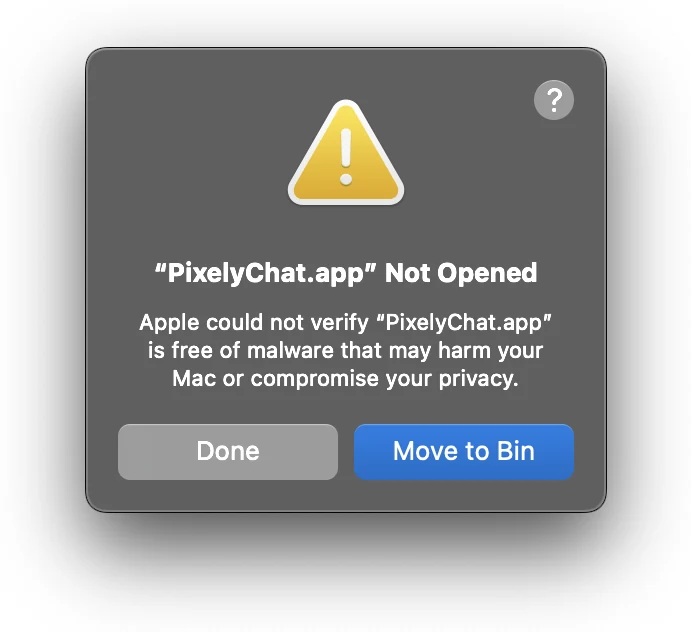
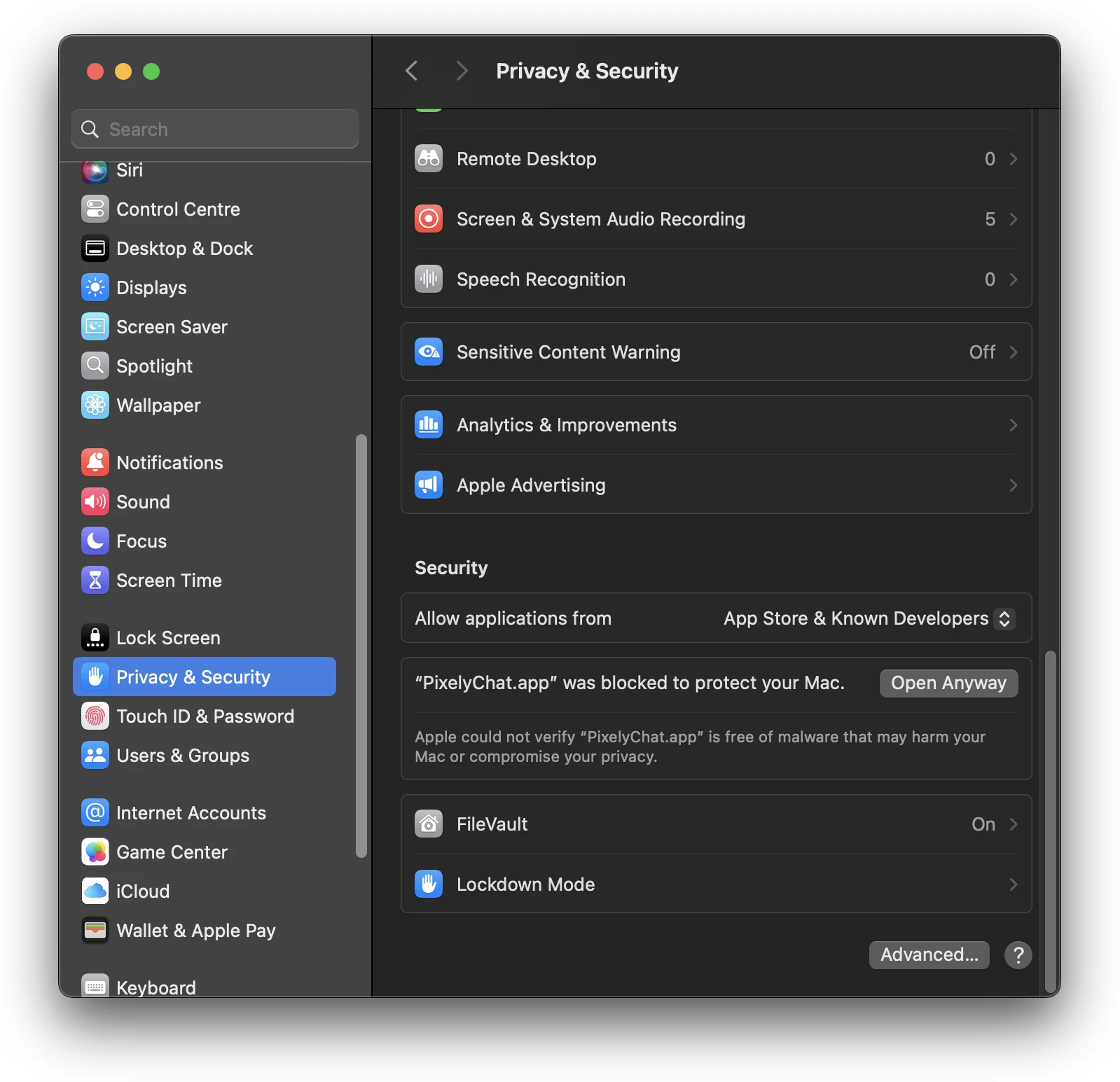
macOS Gatekeeper can block the first launch of apps that haven't been notarized by Apple. If that happens, you can allow PixelyChat once from System Settings → Privacy & Security.
Try to open PixelyChat. macOS may block the first launch.
Open Privacy & Security and choose Open Anyway.
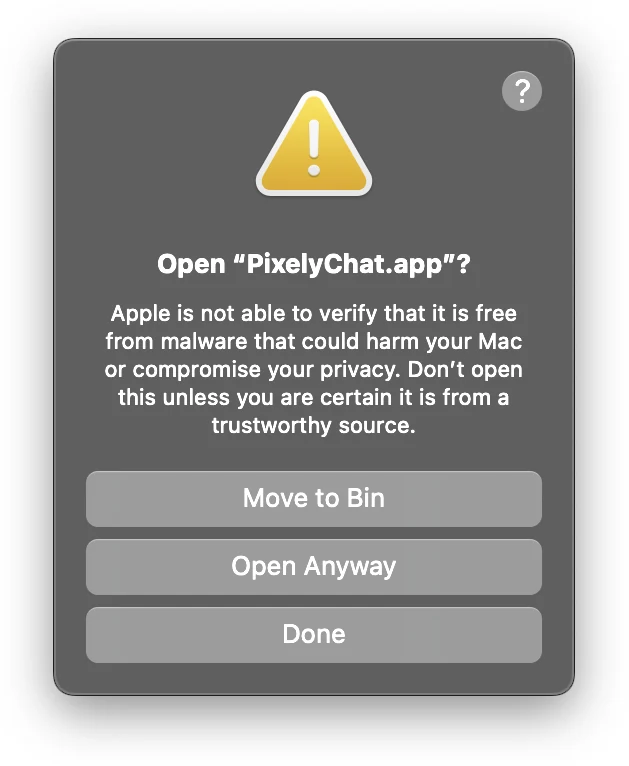
Click Open Anyway. Future launches will work normally.

Linux
Choose the package that matches your distribution.




A few things to know.
Before your next stream.
What exactly is PixelyChat?
Is it really free?
How do you make money if it's free?
Does it work with OBS and Streamlabs?
Is it safe to log in with YouTube or Google?
Does PixelyChat collect or sell my data?
Will it moderate my chat?
Does PixelyChat support Kick chat?
Does it work on Mac and Linux?
What languages does PixelyChat support?
How does it compare to other tools?
SAY HELLO
Find us between streams.
Questions, feedback or something you’d love to see?