 PixelyChat
Spoken Names
Pick the name TTS says for a viewer. “dontshootmeuae” becomes “Mr Help”.
No repeated names
Someone sends five messages in a row? You hear their name once, not five times.
Clean names
Underscores, emoji and decorations are left out. TTS says the name, not the symbols around it.
Call your regulars by their name.
Your regulars have names you actually use. Now TTS can use them too. Open the new Spoken Names tab in Speech, press Add Name, pick the platform and type the viewer’s username. With or without the @, PixelyChat doesn’t mind. Then write how their name should be said, press Preview to hear it, and save.
Because you type it the way it should sound, it also fixes names TTS keeps getting wrong. Spoken names are used everywhere TTS says a name: chat messages, follow and sub announcements, channel point rewards and Twitch Power-Ups. In chat, in your overlays and in moderation, the viewer keeps their real username.
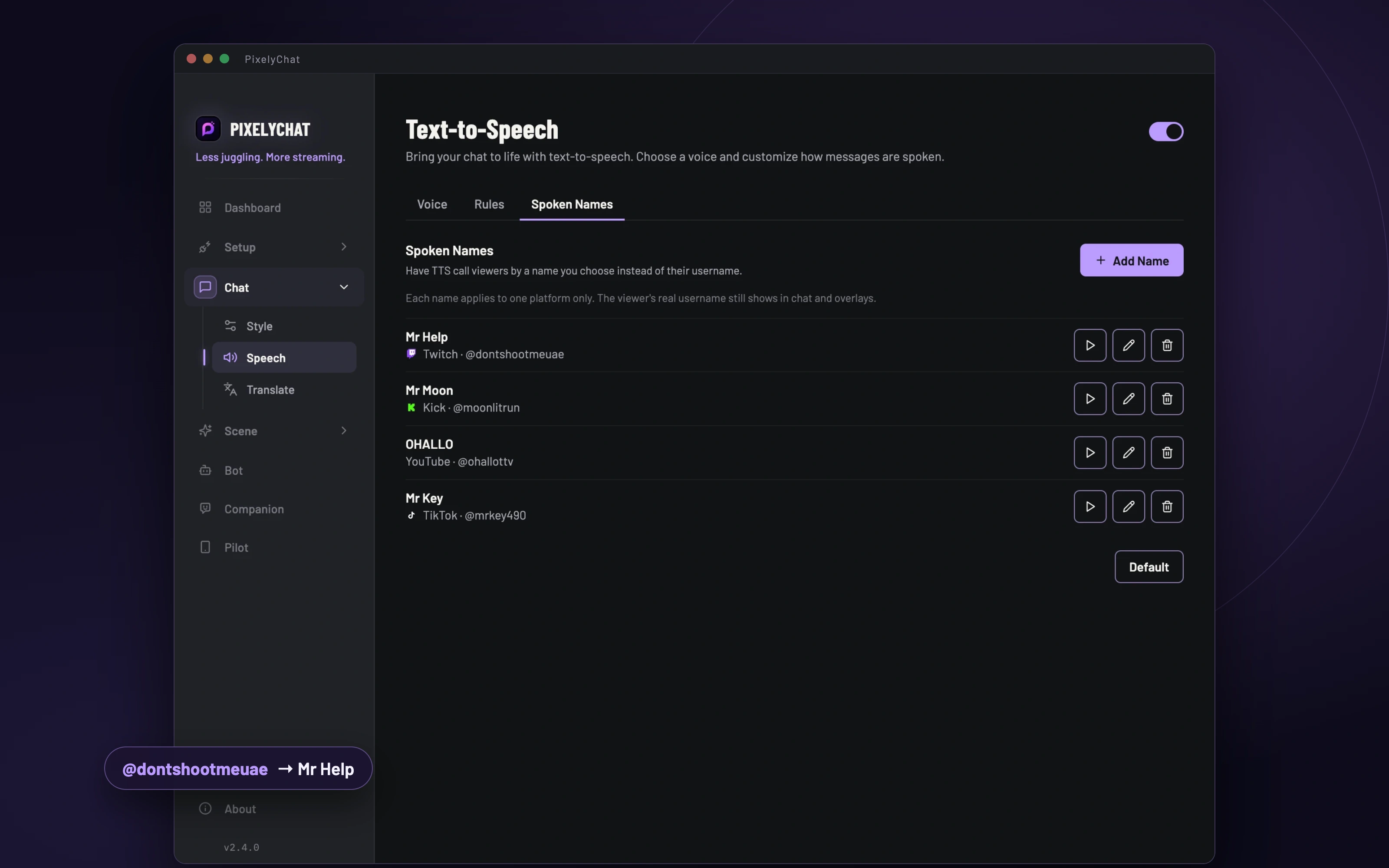
Set your names up before you go live, no chat needed. The first time that viewer chats, PixelyChat connects the name to their account, so it keeps working even after they change their username, and nobody who later takes their old name gets it. Already live? Click a username in the Dashboard chat and choose Set spoken name….
Say a name once, not every line.
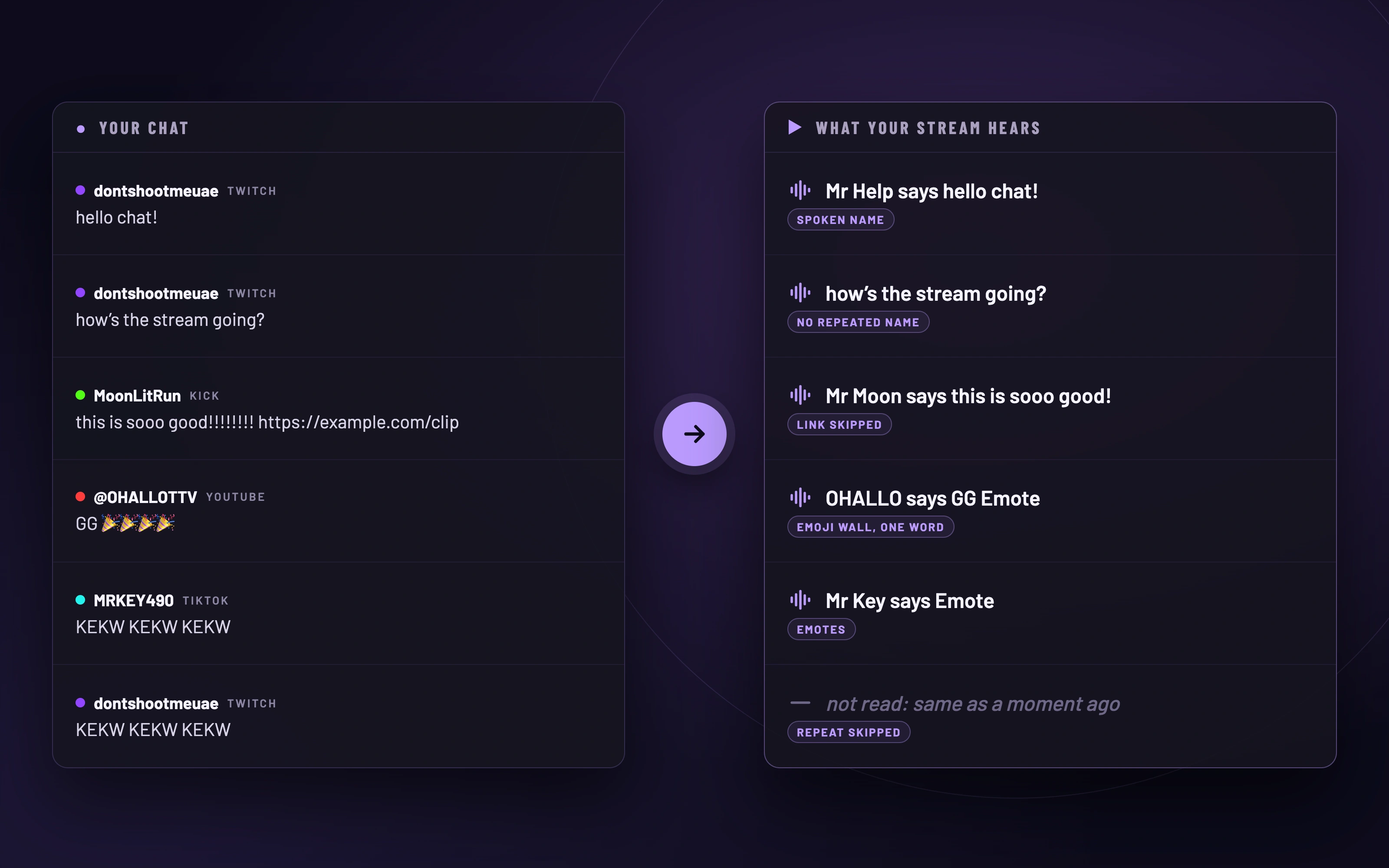
When one viewer sends several messages in a row, hearing their name before every single one gets old fast. With Avoid repeating names, PixelyChat introduces a viewer once and then just reads what they say:
- “Mr Help says hello chat!”
- “how’s the stream going?”
- “Mr Moon says this is sooo good!”
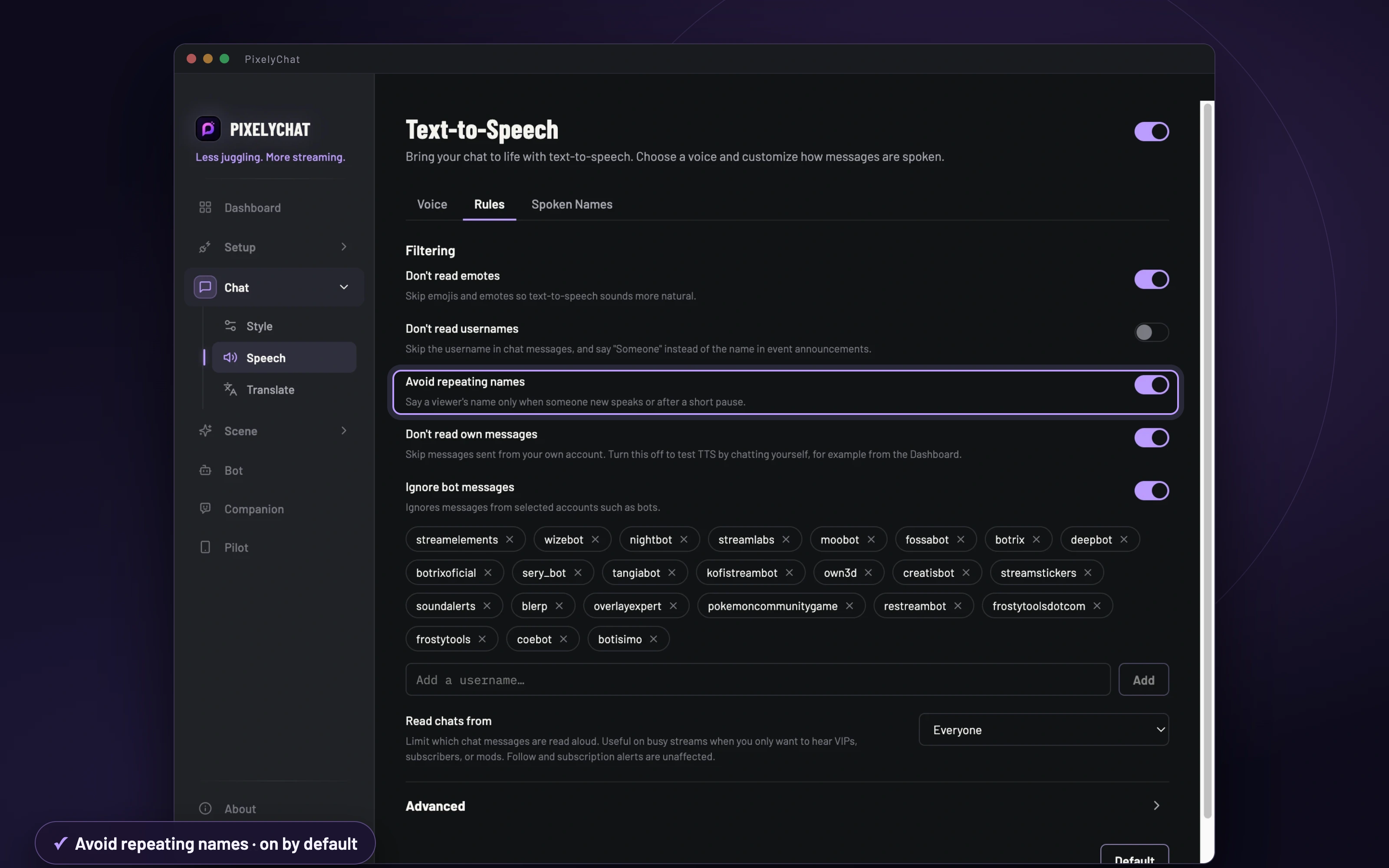
The name comes back as soon as someone else speaks, an announcement or reward is read in between, or the viewer has been quiet for 15 seconds. It’s on by default, so it just sounds better from the first message.
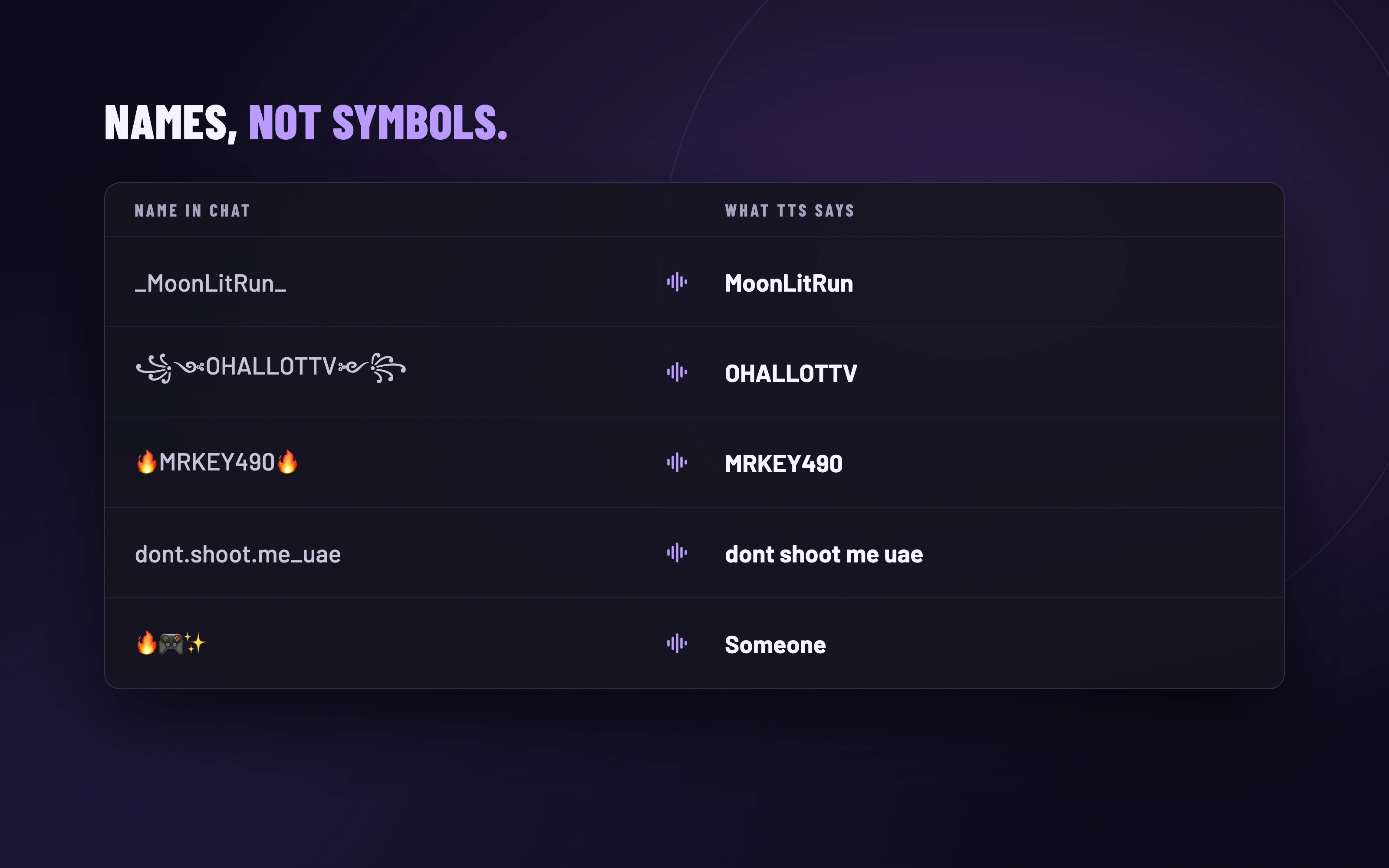
Names, not symbols.
Usernames are full of things nobody wants to hear out loud. Plenty of TTS setups happily read “underscore MoonLitRun underscore”. PixelyChat leaves out underscores, dots, decorative brackets and emoji, and keeps the letters and numbers, in every alphabet. A name made only of emoji becomes “Someone”, and on TikTok, TTS uses the viewer’s short nickname instead of a long @handle.
Less noise. More stream.
The new features join everything Speech already does to keep your stream easy to listen to. You decide what gets read, and PixelyChat quietly drops the rest:
- Don’t read emotes: Twitch, 7TV, BTTV and FFZ emotes and emoji are skipped. A whole wall of them becomes a single “Emote”. On by default.
- No links, no shouting: links are never read out, and “!!!!!!!!” is read as a single “!”.
- Read chats from: everyone, only subscribers, VIPs and moderators, or moderators only. With Always read gifts, gifts are still announced.
- Skip repeated messages: during a raid or a copy-paste wave, only the first copy is read, even when it arrives from different platforms.
- Ignore bot messages, Don’t read own messages, a Minimum message length and Only read chat messages for everything else.
And all of it is spoken with natural voices in your stream’s language, with your own speed and volume, and a backup voice on your computer if the online voice is ever unavailable.
Try it
- Open Chat → Speech in PixelyChat.
- On Spoken Names, press Add Name, type a viewer’s username and how their name should sound, and press Preview.
- Look through Rules: Avoid repeating names is already on. Skip repeated messages is under Advanced.