 PixelyChat
OBS CHAT OVERLAY
A customizable chat overlay for OBS.
Add PixelyChat as a browser source in OBS or Streamlabs and show live chat on your stream. Change the style in PixelyChat and the overlay updates without re-adding the source.
Free on Windows, macOS and Linux. No subscription or ads.
Make chat fit your stream
Choose a panel, bubble or other visual style, then tune transparency, avatars, timestamps, platform icons, font and colors. The overlay is designed to stay readable over gameplay.
- Multiple chat styles and themes
- Transparency and typography controls
- Platform-aware colors and icons
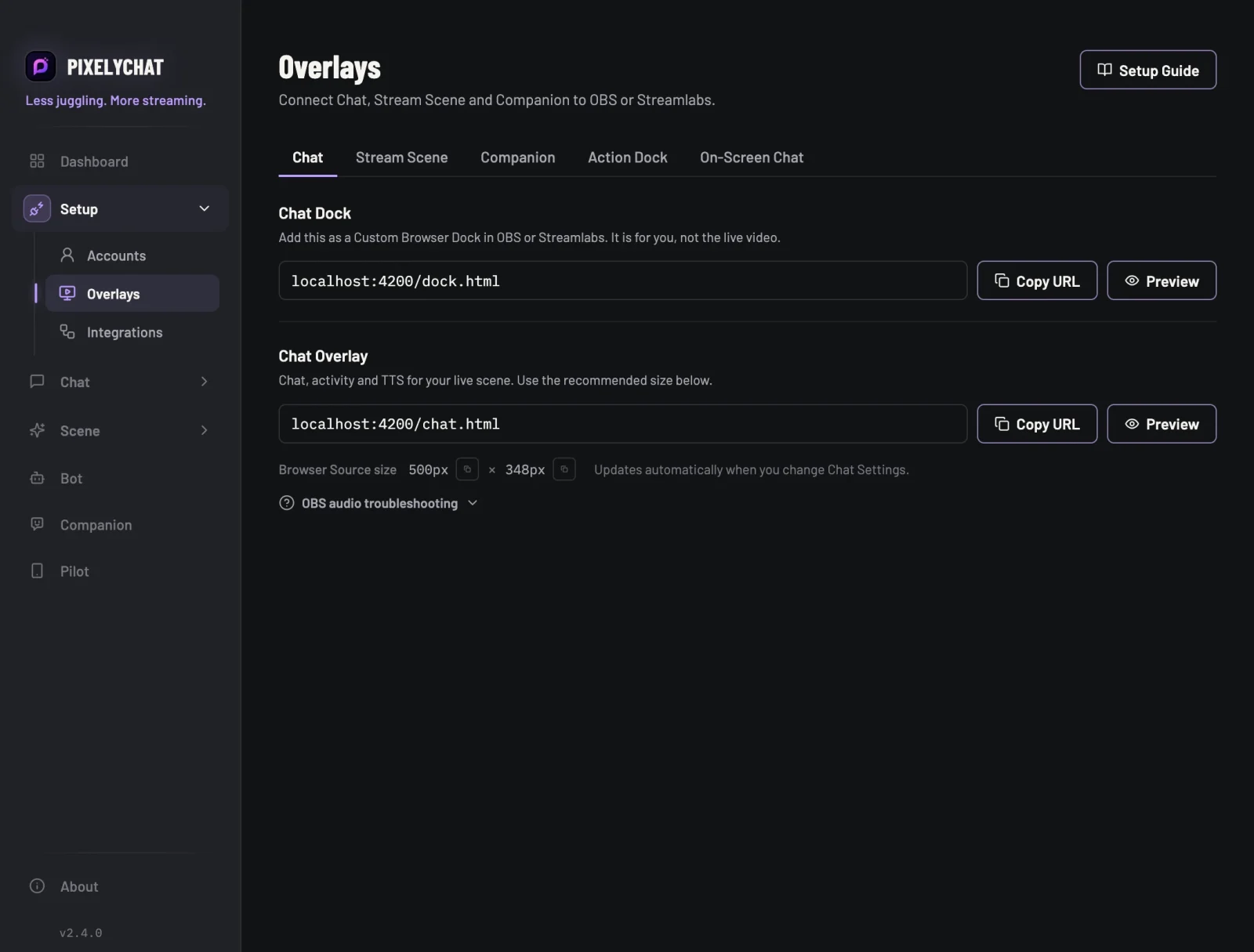
One browser source, live settings
PixelyChat runs the overlay locally. Add the browser source once, then keep adjusting the look from the app while you stream.
- Works with OBS and Streamlabs
- No extra overlay subscription
- Changes apply live without refreshing the source
Add your overlay to OBS
PixelyChat keeps the setup simple so you can get back to streaming.
Open Overlays
Choose the chat overlay and copy the browser-source URL.
Add a Browser Source
Paste the URL into OBS or Streamlabs and use the recommended size.
Customize it
Change the chat appearance in PixelyChat while the source stays in place.
Frequently asked questions
Does the overlay work with Twitch, YouTube, Kick and TikTok?
Do I need a separate overlay service?
Can I use Streamlabs instead of OBS?
Explore more
Related PixelyChat guides and features.
Ready to simplify your stream?
PixelyChat brings your chat, TTS, translation, alerts and moderation into one desktop app built around the way streamers actually work.