 PixelyChat
LIVE CHAT TRANSLATION
Understand multilingual chat while you stream.
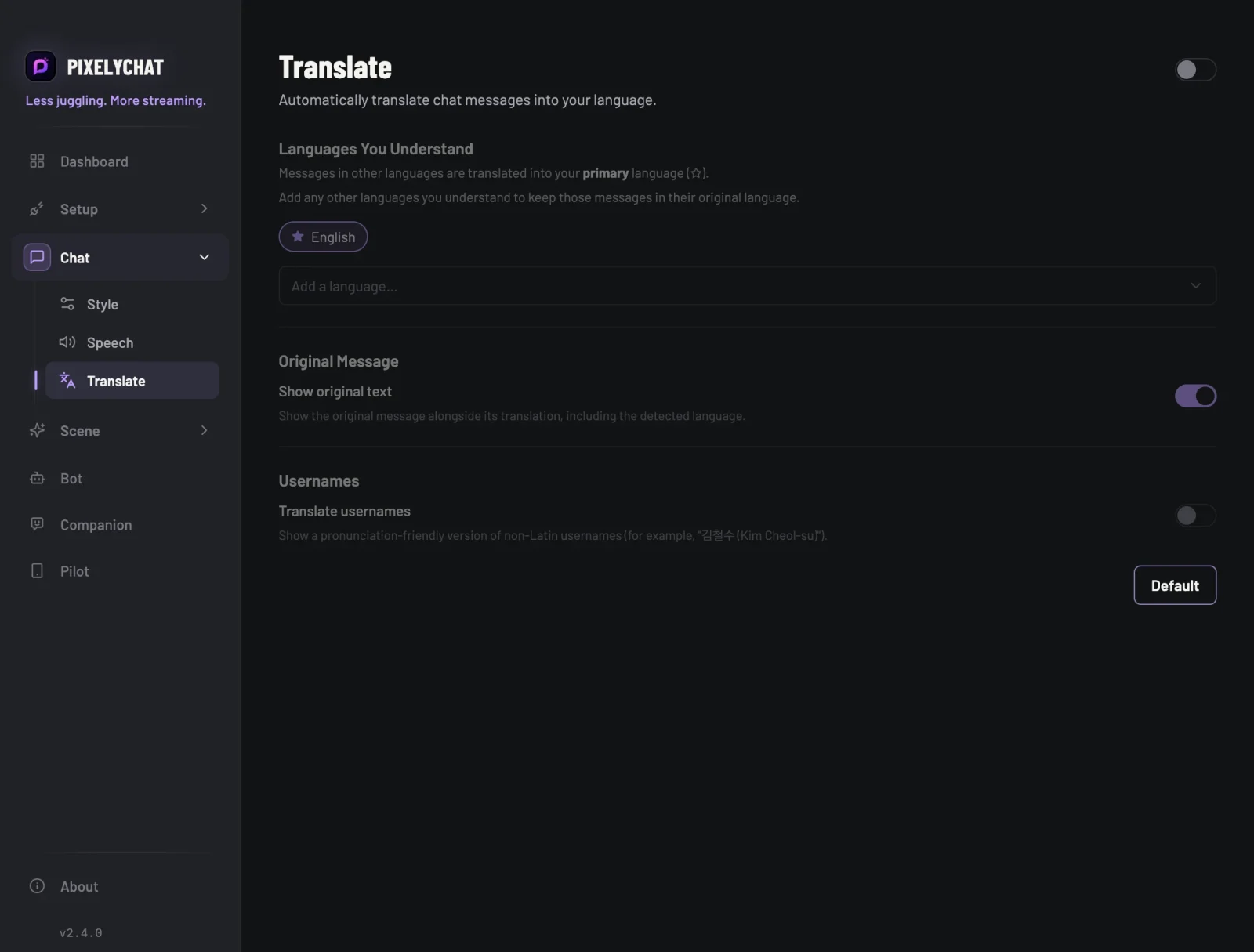
PixelyChat can translate foreign-language chat on the fly while keeping the original message alongside the translation, so context never disappears.
Looking for the app's own interface language instead? PixelyChat'sinterface itselfalso runs in 15 languages — that's separate from chat translation above.
Keep the original and translated text together
Translation is useful when the goal is understanding, not replacing the conversation. Keeping the original message visible makes it easier to recognize names, slang and context.
- Translate supported foreign-language chat
- Keep the original message for context
- Use the feature alongside unified multistream chat
Built for live-chat conditions
Stream chat contains short messages, slang, emotes, typos and repeated phrases. PixelyChat's translation workflow is designed to fit that environment instead of turning translation into a separate app.
- Works across connected supported chat sources
- Can be combined with TTS and overlays
- Settings are designed around streaming rather than long-form translation
Start translating chat
PixelyChat keeps the setup simple so you can get back to streaming.
Enable translation
Choose the languages and translation behavior you want.
Connect your platforms
Bring Twitch, YouTube, Kick or TikTok chat into PixelyChat.
Stream normally
Foreign-language messages can be translated without leaving your chat workflow.
Frequently asked questions
Does translation remove the original message?
Does this work with multistream chat?
Is translation free?
Explore more
Related PixelyChat guides and features.
Ready to simplify your stream?
PixelyChat brings your chat, TTS, translation, alerts and moderation into one desktop app built around the way streamers actually work.