 PixelyChat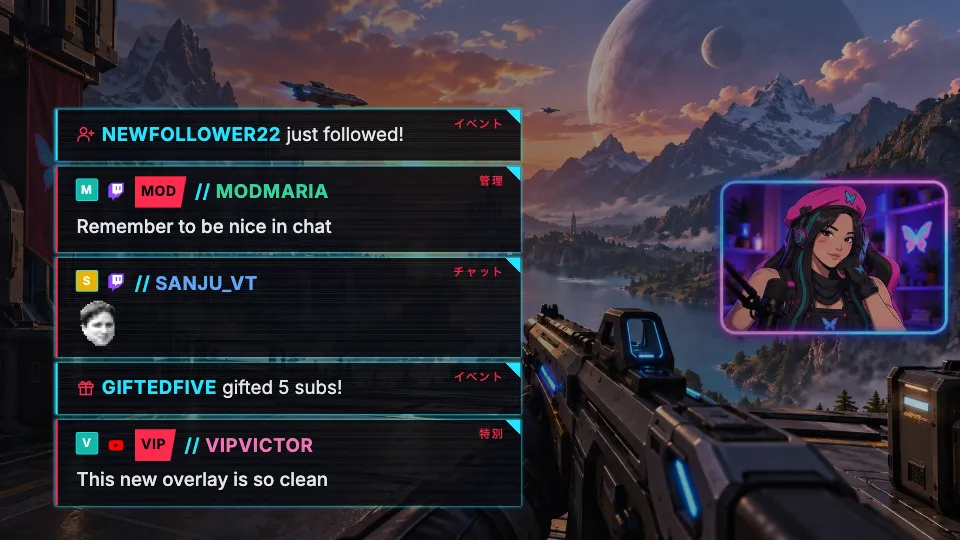
More than colors
The built-in styles let you change colors, corners and fonts. A chat style goes further and changes the whole design of every message: name tags, cards, badges for mods, VIPs and subs, and small decorations. Follows, subs, gifts and raids get their own look too.
Six styles to start with
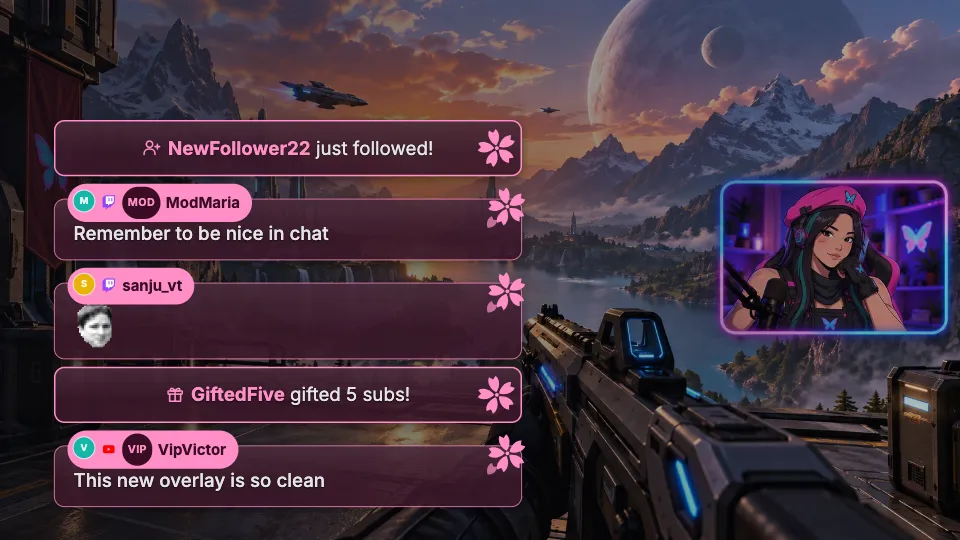
- Sakura: pink name tags on soft rose cards, with a cherry blossom on every message.
- Lavender Glass: frosted panels with a small icon for every role.
- Night City: neon red and cyan, scanlines and a katakana tag for every role.
- Bracket: a clean code-editor look with corner brackets.
- Pixel Quest: retro RPG dialogue boxes with a pixel frame.
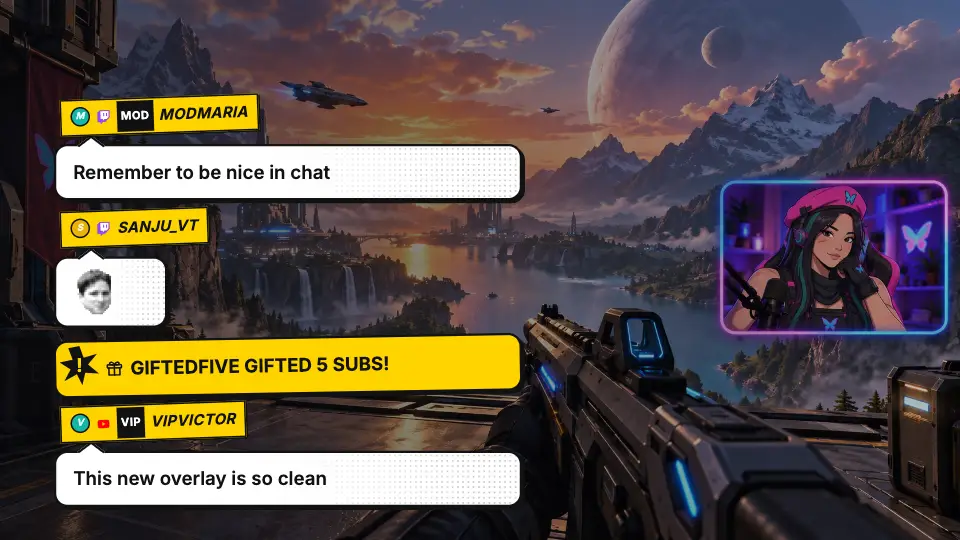
- Comic Pop: comic speech bubbles with POW-style events.
Still yours to tune
Your usual settings keep working: background color and opacity, corners, edge glow and accent color, plus avatars, platform icons, timestamps and fonts. Many styles add options of their own, such as switching decorations off.
Make your own
A chat style is one small file. Export an installed style for editing, describe the look you want to an AI assistant and import the result. The guide on our website walks you through it, and you can send your style in for the library.
Chat styles are used by the Chat Overlay on stream. The Dock and On-Screen Chat keep their own look. Community styles are only partially reviewed by PixelyChat.
Try it
- Update to the latest PixelyChat.
- Open Chat → Style → Style Library and click Install on a style.
- Switch to Overlay to see it in the preview and fine-tune it.