 PixelyChat
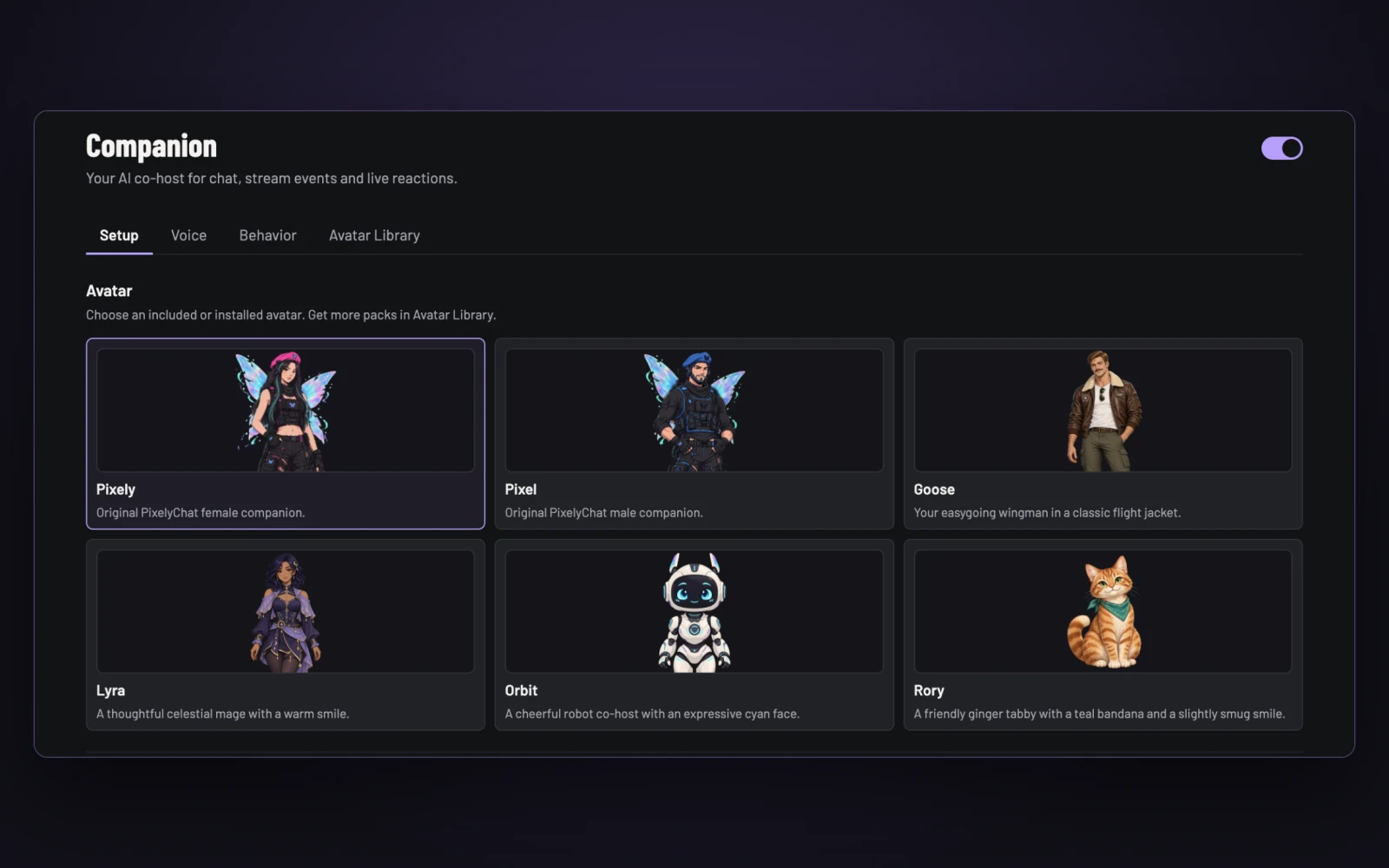
Your Companion already talks to chat and reacts to your stream. Now you can choose who shows up. The new Avatar Library brings the same familiar browsing and selection experience as Scene Themes and Chat Styles to your AI co-host.
Six characters. One click to switch.
Keep the original Pixely or Pixel, pick Goose as your wingman, bring a little magic with Lyra, go futuristic with Orbit, or let Rory the ginger cat steal the show. All six come with the app. Pick a card in Companion → Setup to change your avatar.
Each character has matching idle, talking, happy, surprised and thinking artwork. Switching avatars keeps your voice, personality and layout settings, so you can try a different look without setting everything up again.
Meet the rest of the crew
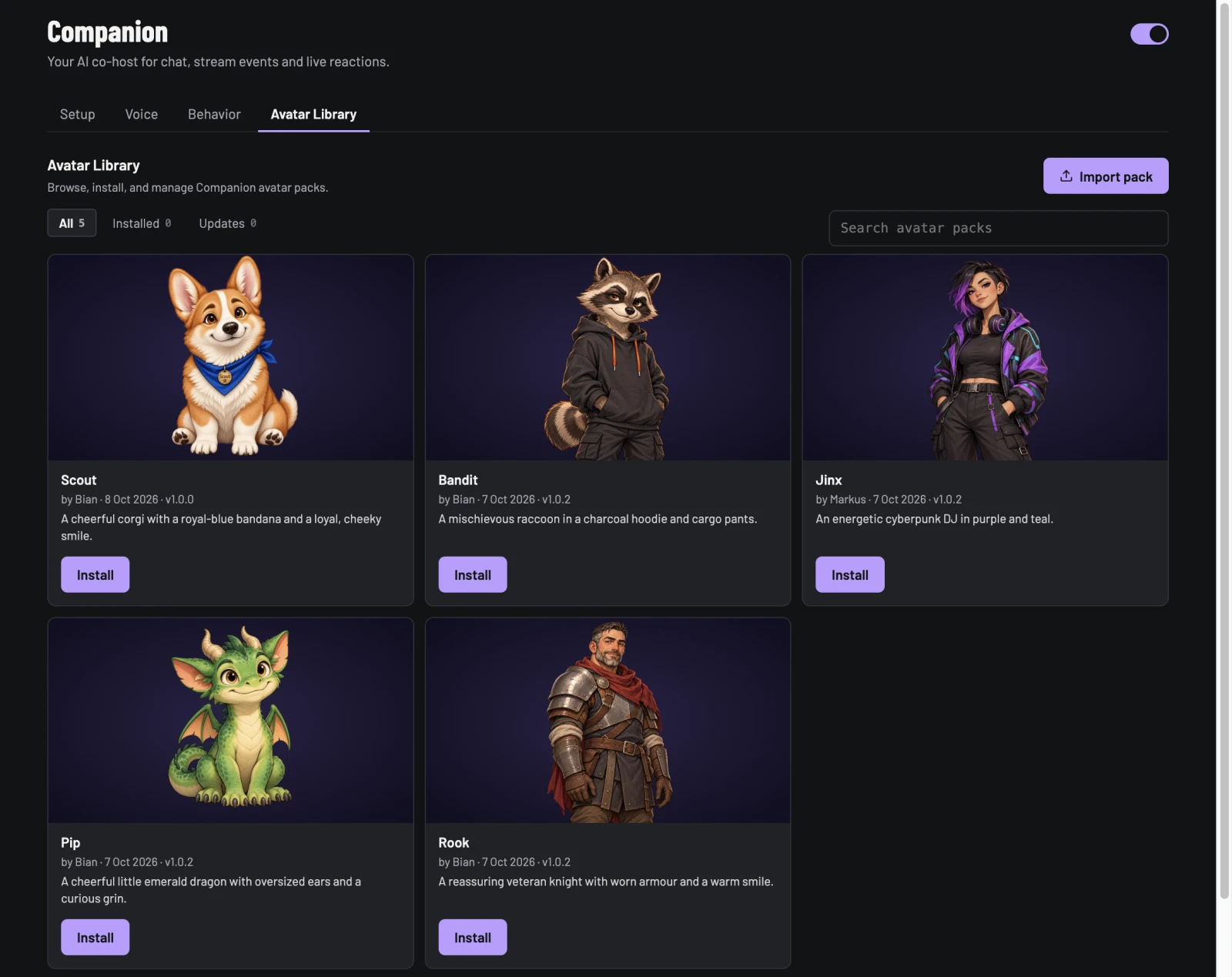
Want more company? Scout the corgi, Bandit the raccoon, Jinx the DJ, Pip the dragon and Rook the knight are waiting in the online library. Browse in Companion → Avatar Library, choose Install, then Use avatar when you’re ready to put them on stream.
Make a character of your own
Have a mascot in mind? Open Create your own, add five matching images and check the expressions in the preview. You can draw the artwork yourself or generate it with an AI image tool, then save your pack in PixelyChat. Export it to share with friends, or follow our guide to submit it for the website library.
Create and share an avatar pack
Already customized an avatar in an older version? Your artwork is preserved as an Old Custom pack.
Try it
- Update to the latest PixelyChat.
- Open Companion → Setup and choose one of the six included avatars.
- For more characters, open Companion → Avatar Library. Install a pack, then choose Use avatar.