They appear in chat, are read aloud and count in the Gifts Goal (1 US dollar = 100 points).
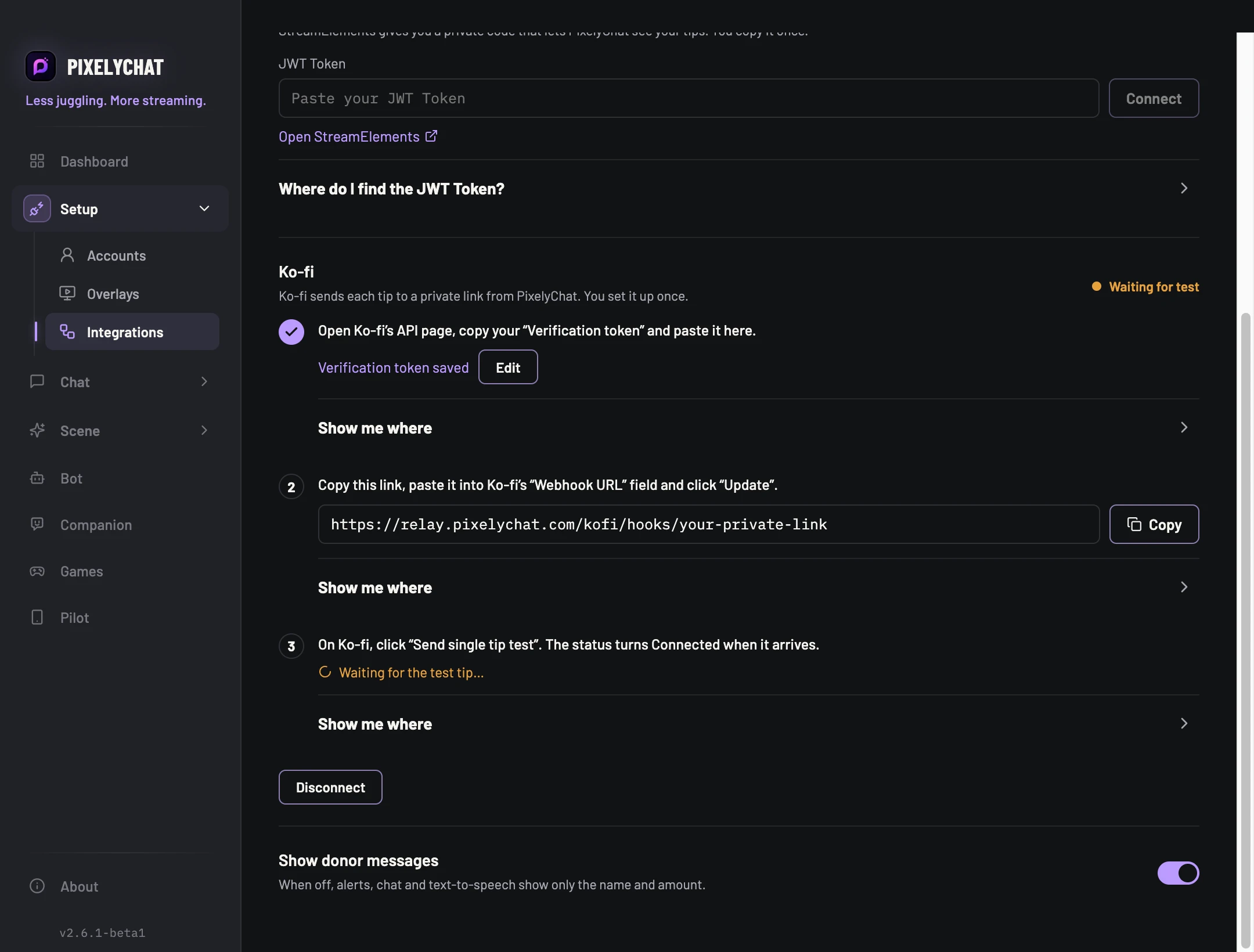
Show donor messages: When off, alerts, chat and text-to-speech show only the name and amount.
Check the result
You should see: A test tip from each service plays an alert, appears in chat and is read aloud. Test tips never count in your goal.
If it doesn't work
A service shows Needs attention: copy its token again and paste it in.
Ko-fi stays on Waiting for test: check the Webhook URL in Ko-fi, click “Update”, then send the test again.
StreamElements only shows tips sent through the channel you connected.
Settings and further help
STREAMLABS
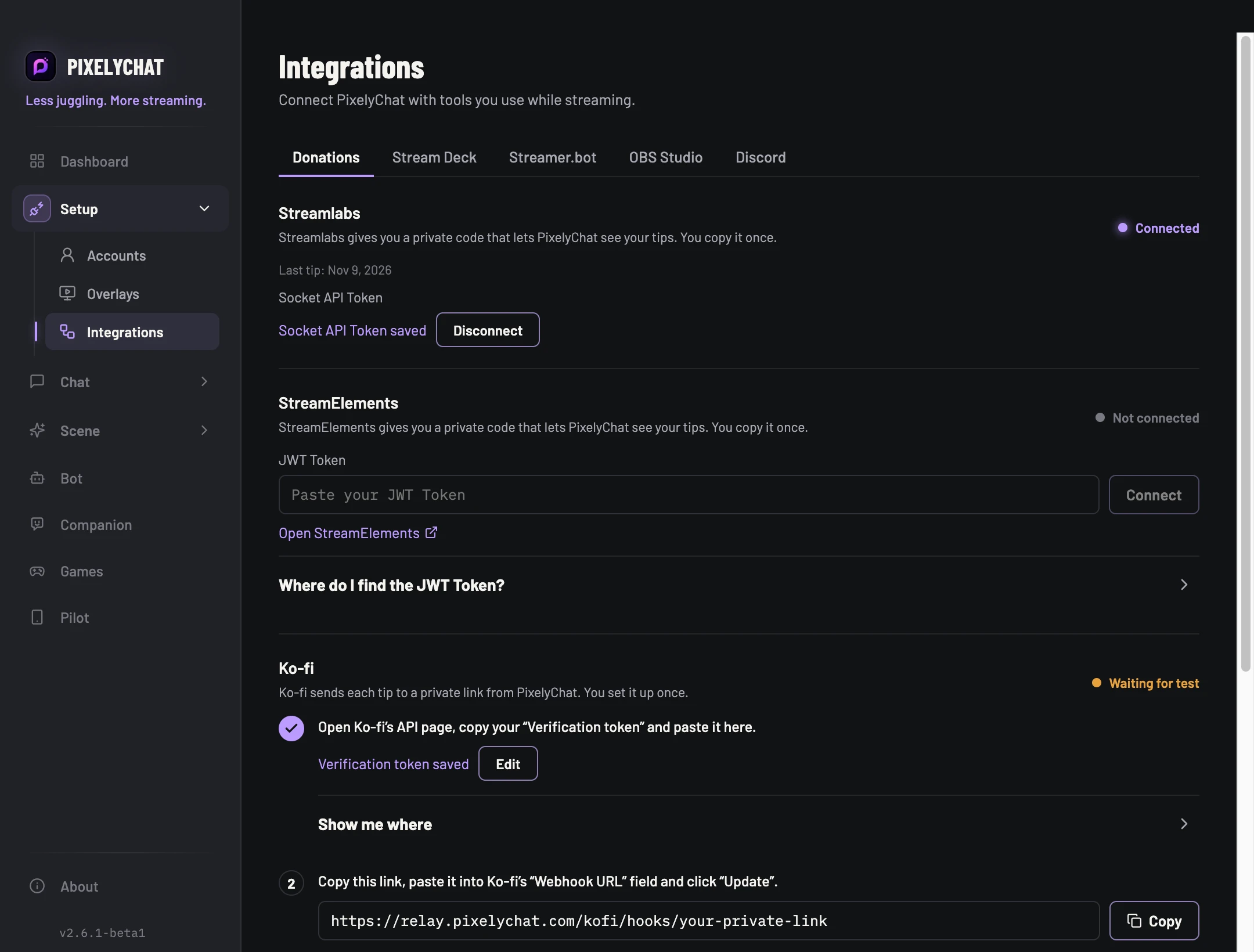
Paste your Socket API Token
On Streamlabs, open Settings → API Settings → API Tokens and click Copy next to Your Socket API Token. Paste it into the Streamlabs field and click Connect.
STREAMELEMENTS
Paste your JWT Token
On StreamElements, open your Channels page and click the copy icon under JWT Token. This token stops working after about six months; PixelyChat warns you two weeks before.
KO-FI
Three steps on Ko-fi’s API page
Paste your Verification token, copy the Webhook URL PixelyChat shows into Ko-fi and click Update, then click Send single tip test. The status turns Connected when the test arrives.
IntegrationsKo-fi’s three setup steps, then the donor message switch.
AlertsTips play the Donation alert under Scene → Alerts. Tips from $10 and from $50 get the bigger alert styles.
Gifts GoalTips count as support points: 1 US dollar is 100 points, other currencies are converted. Turn off Include donations in a goal to leave tips out.
Chat and speechEach tip appears in chat and the Activity Feed and is read aloud. Turn off Show donor messages to show only the name and amount.
Bot and CompanionThe bot can thank the supporter in your chat (Bot → Automation → Donation), and Companion reacts to tips.
Test tips
Test tips play an alert and appear in chat, but never count in your goal, and the bot never posts a thank-you for them.
Ko-fi tips
PixelyChat receives Ko-fi tips while you are live or while the Donations tab is open. Ko-fi memberships, commissions and shop orders are not shown yet.
 PixelyChat / Manual