 PixelyChat
 Help
Updates, diagnostics & logs
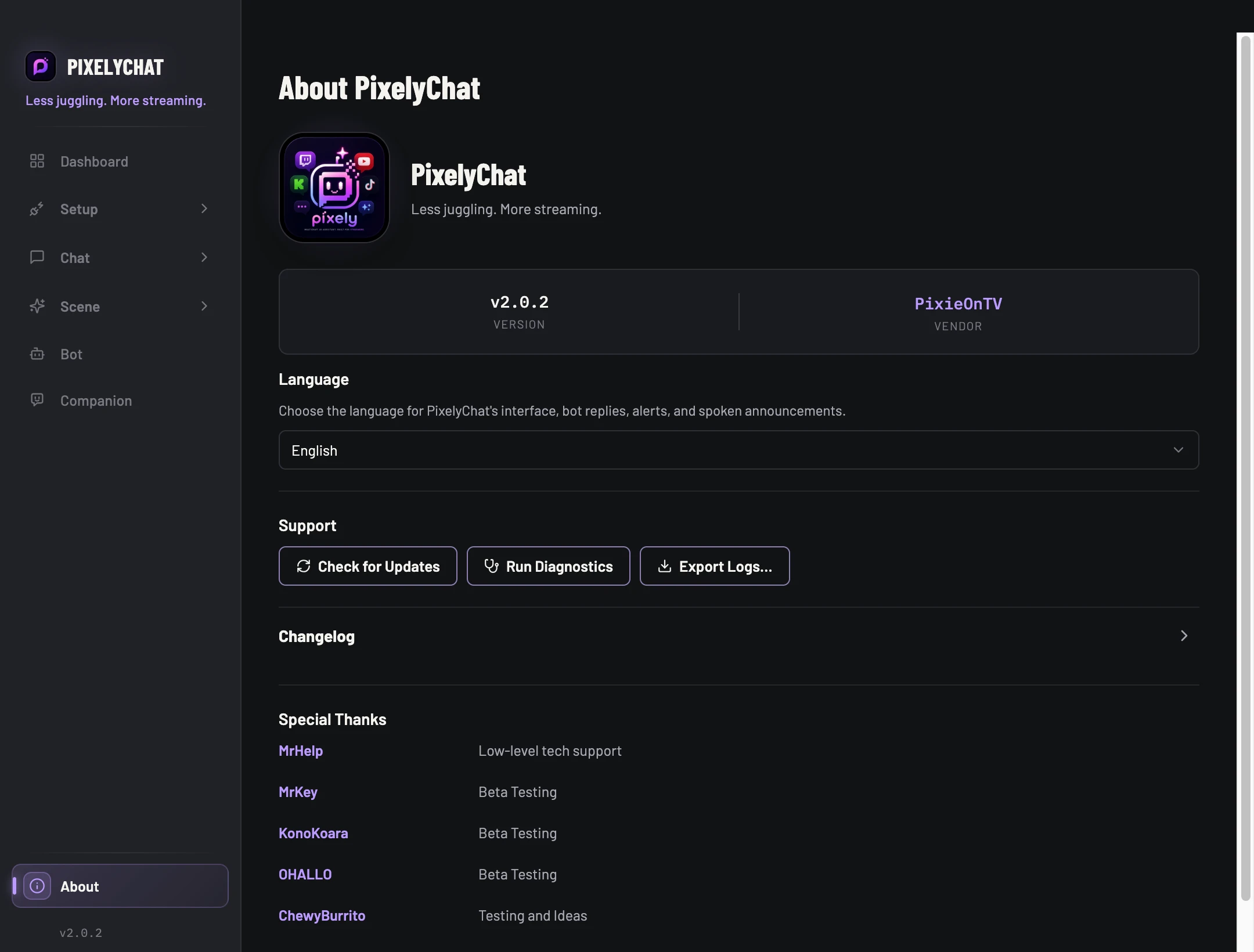
About is the maintenance hub. Logs are the deeper view when something needs investigation.
Before you start
Write down what you expected, what happened, and which platform or feature was involved. Keep the failing setup available while checking it.
Find the cause of a problem
- Open About and note your app version. Check for updates and run diagnostics.
- Reproduce the problem once, then inspect Recent Activity or Logs for relevant errors. Check the feature’s enable switch, account connection and Browser Source as appropriate.
- Export logs after reproducing the problem. Include the time, app version and short reproduction steps when contacting support.
Check the result
You have a specific error or a reproducible example to investigate. Avoid changing several settings at once: change one thing, repeat the same test and compare the result.
Settings and further help
Start with About.
Use About to see your app version, change the interface language, read the changelog, check for updates, run diagnostics and export logs. If a problem is reproducible, export the logs after reproducing it so the useful events are close together.
Check for UpdatesAsk PixelyChat to look for a newer build.
Run DiagnosticsRepeat connection and environment checks without restarting the app.
Export LogsSave a support-friendly log bundle/file for troubleshooting.
Logs pageFilter current entries by level when you need a more technical view.